Disney dining
The 6am scramble, on both screens.
Sixty days out the dining window opens and the good tables are gone in minutes. Pixie Dust CRM moves the deciding to before then: your client ranks what they want in their own app, and it reaches you already sorted — on your phone or at your desk, whichever one you happen to be holding at 5:58am.
Nothing books itself. They ask; you book. But you stop deciding at 6am and start working a list.
Their side
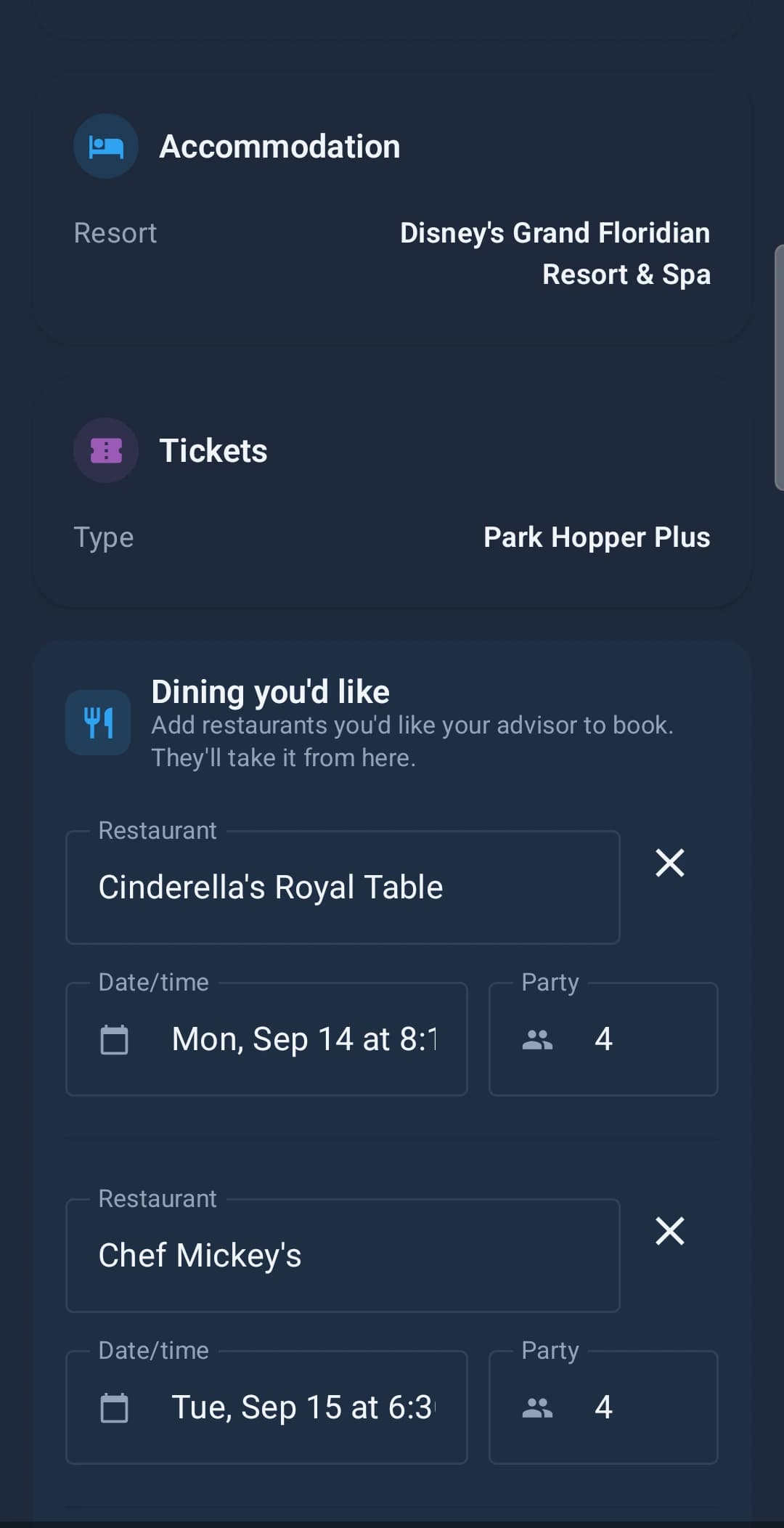
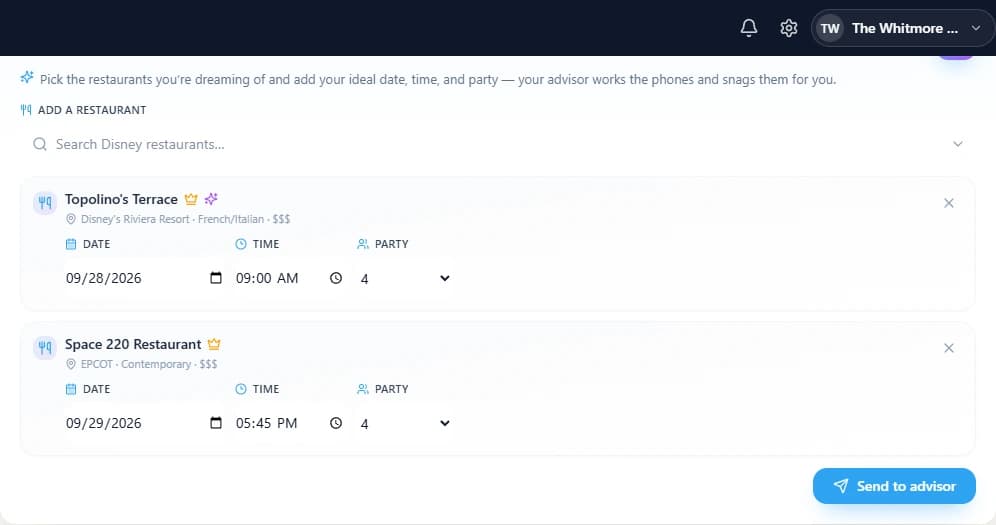
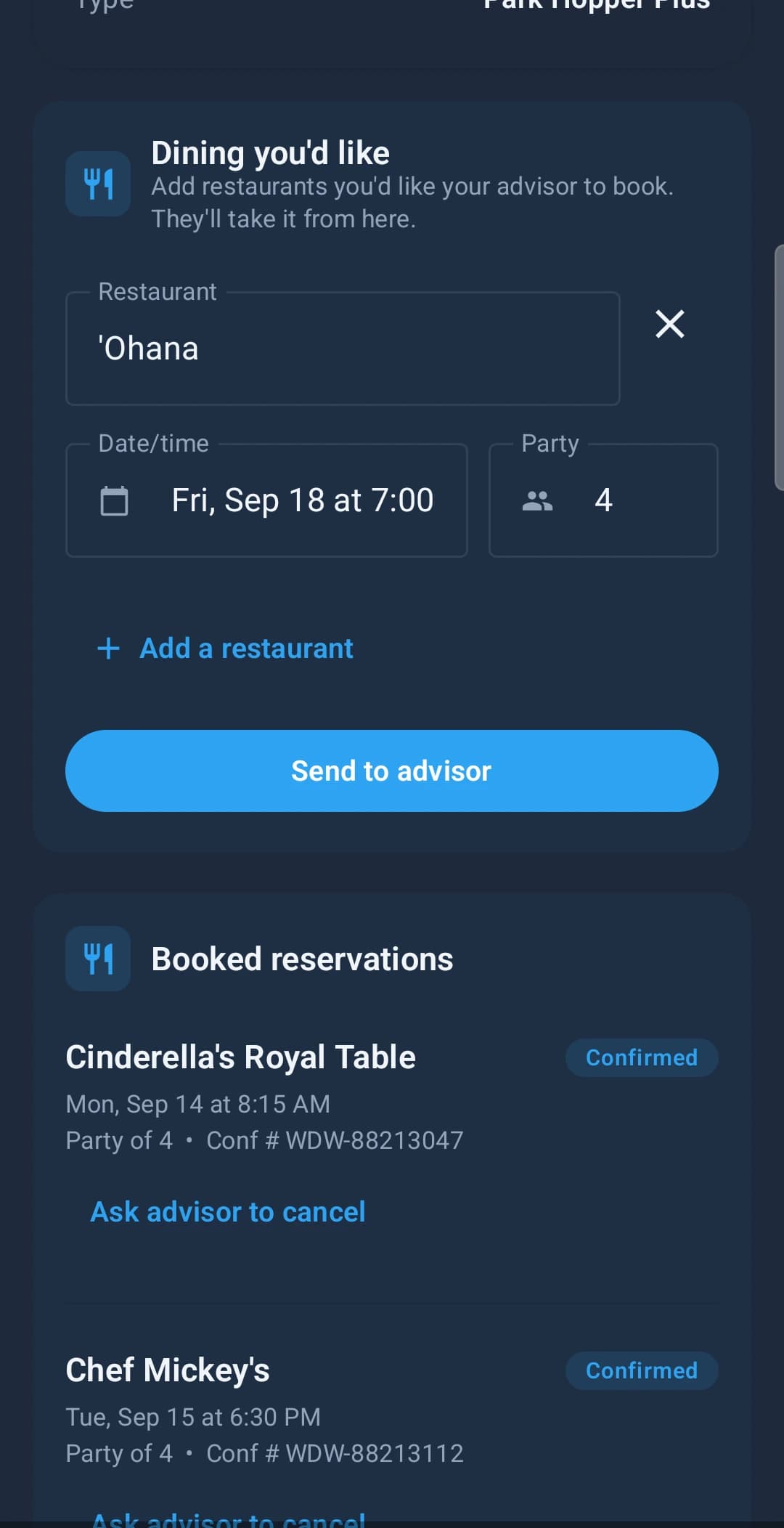
They tell you what they want.
Not a text at 11pm. Not a comment buried in a Facebook thread. The restaurant, the night, the party size — typed into their own trip app while they are actually thinking about it, and attached to the booking it belongs to.
Their side
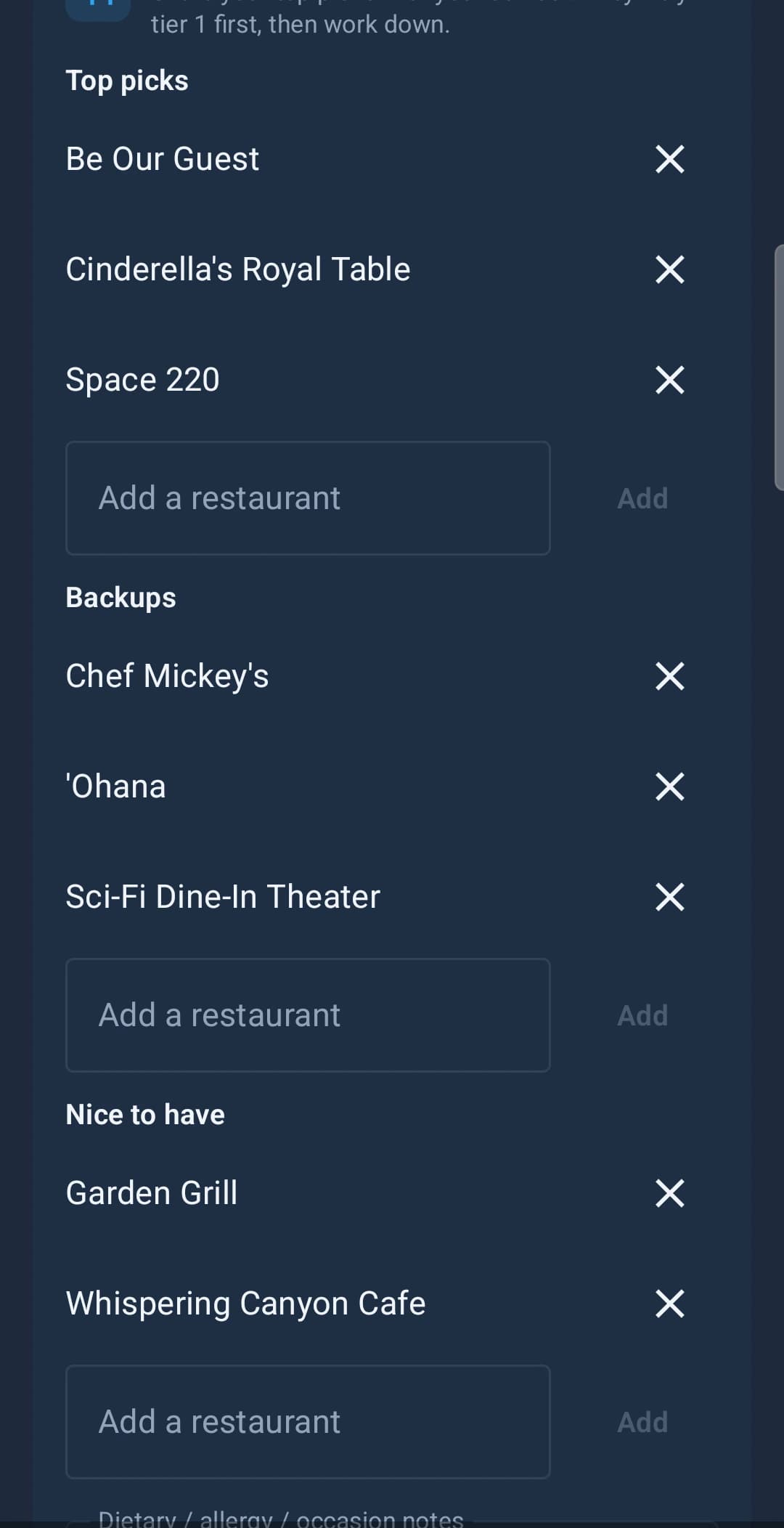
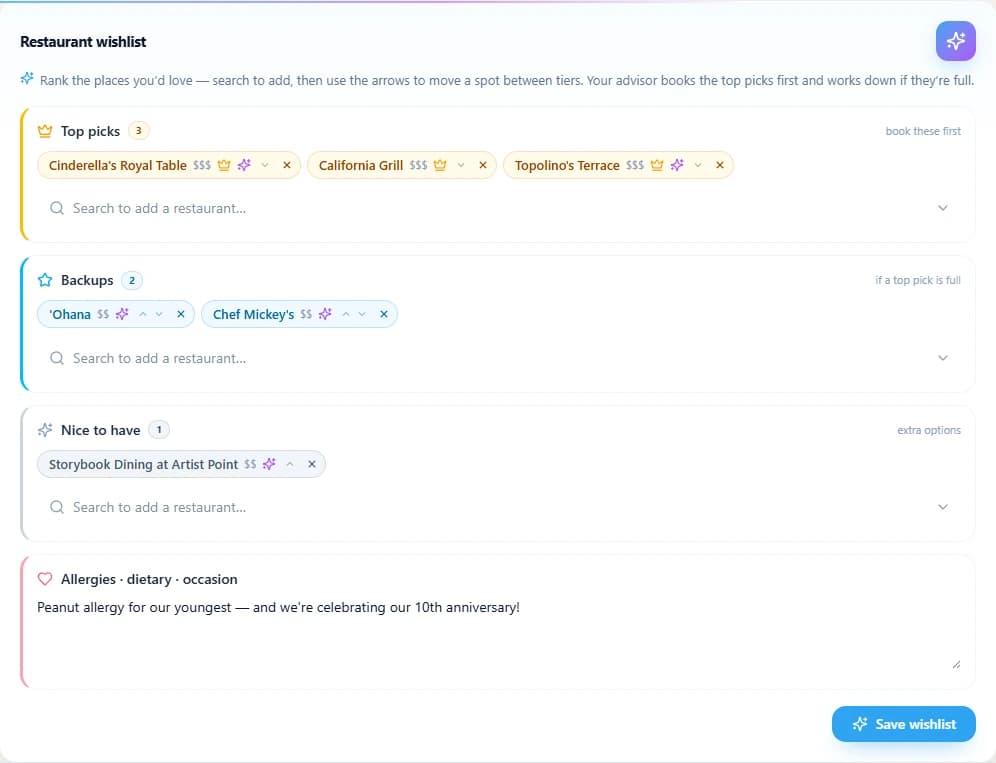
They rank them, so you don't have to guess.
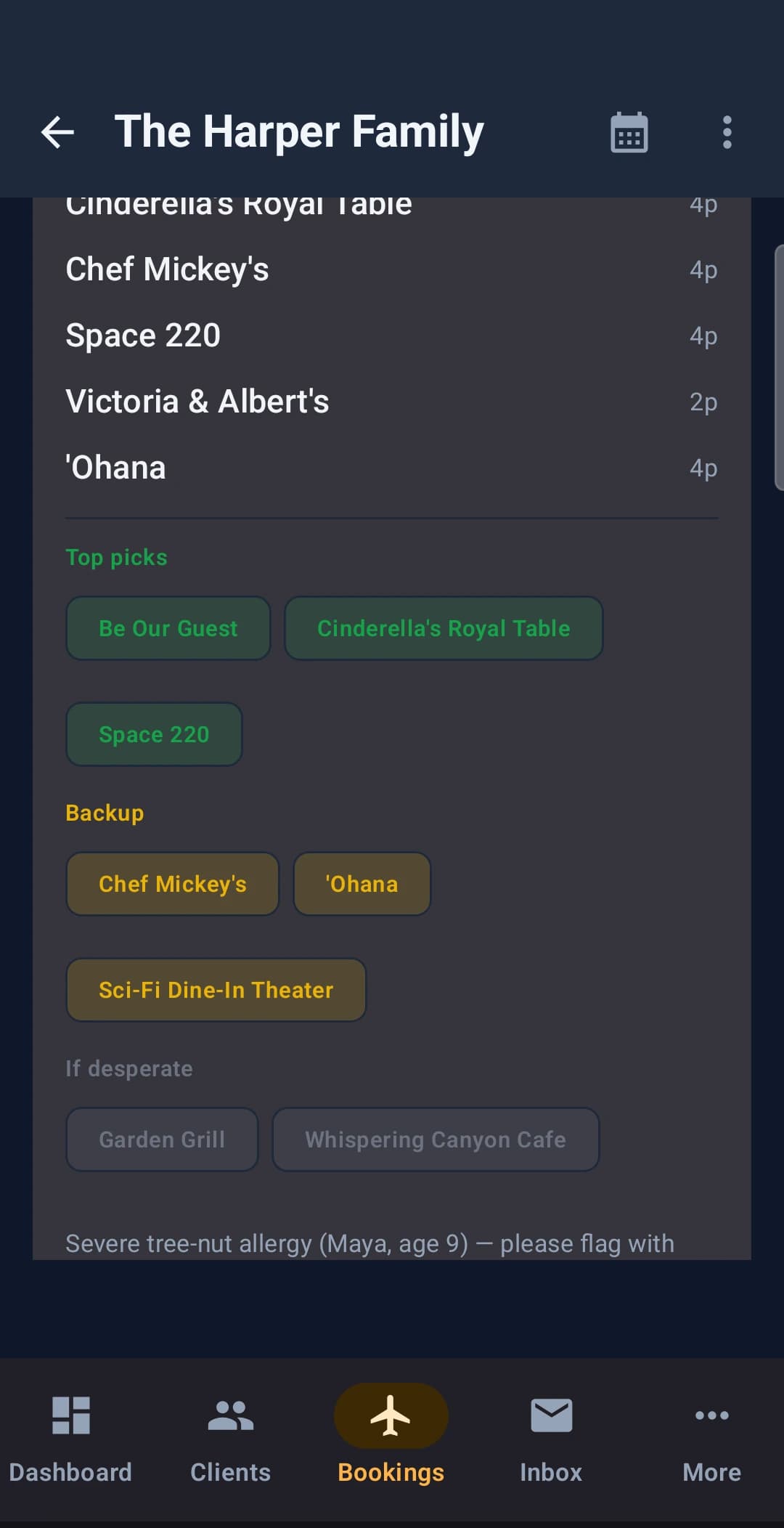
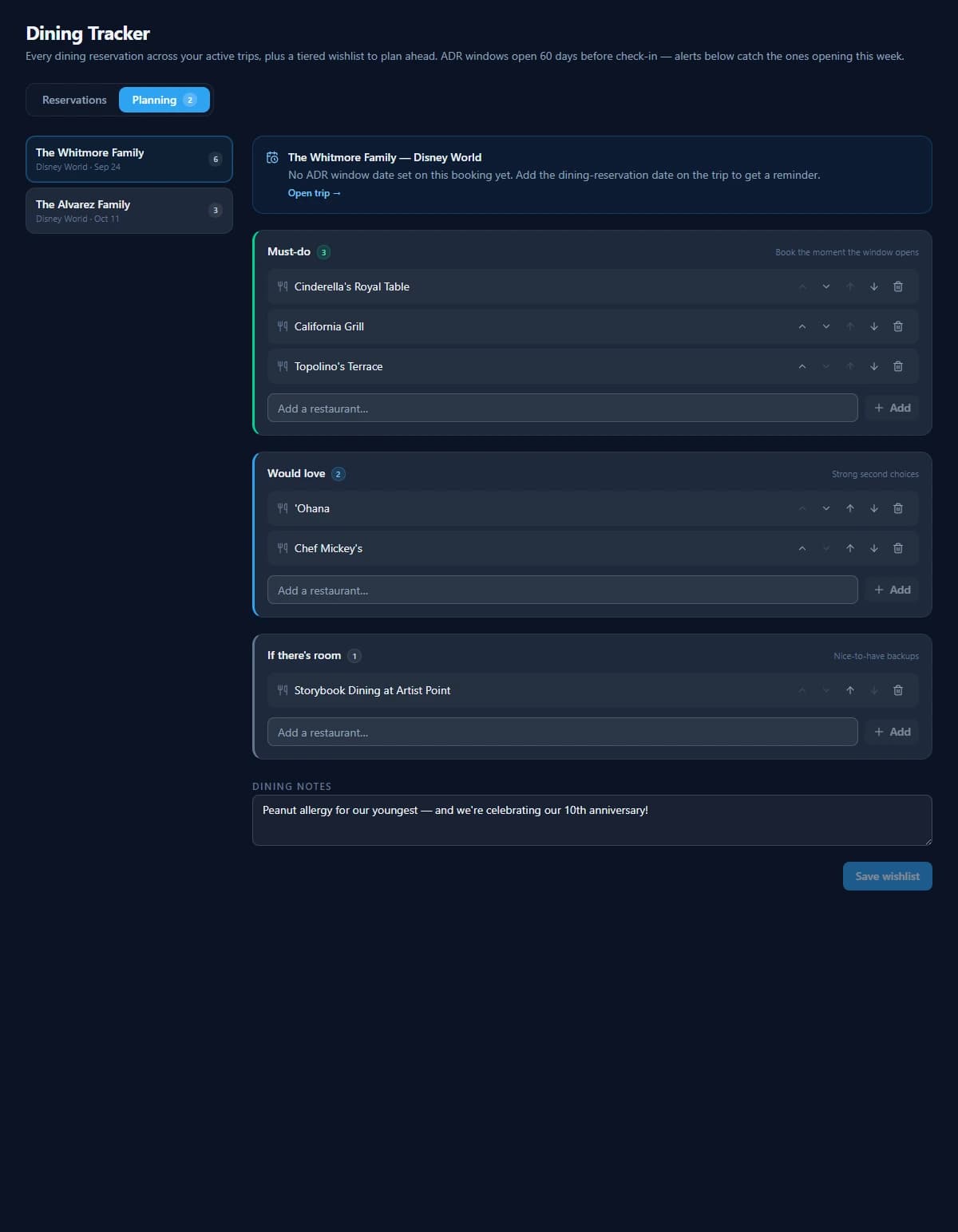
Everyone says they want Cinderella's Royal Table. Fewer will say what they'd take instead at 6:02am when it's gone. Three tiers settles that in advance — and the allergy and the anniversary get written down by the people who actually know them.
Your side
It arrives already sorted.
You don't re-key it, chase it, or scroll a thread looking for the party size. Their ranking is your worklist, and the dining notes travel with it — so the tree-nut allergy is on the screen while you are on hold, not in a message you'll remember to check afterwards.
Afterwards
And then the confirmation numbers land.
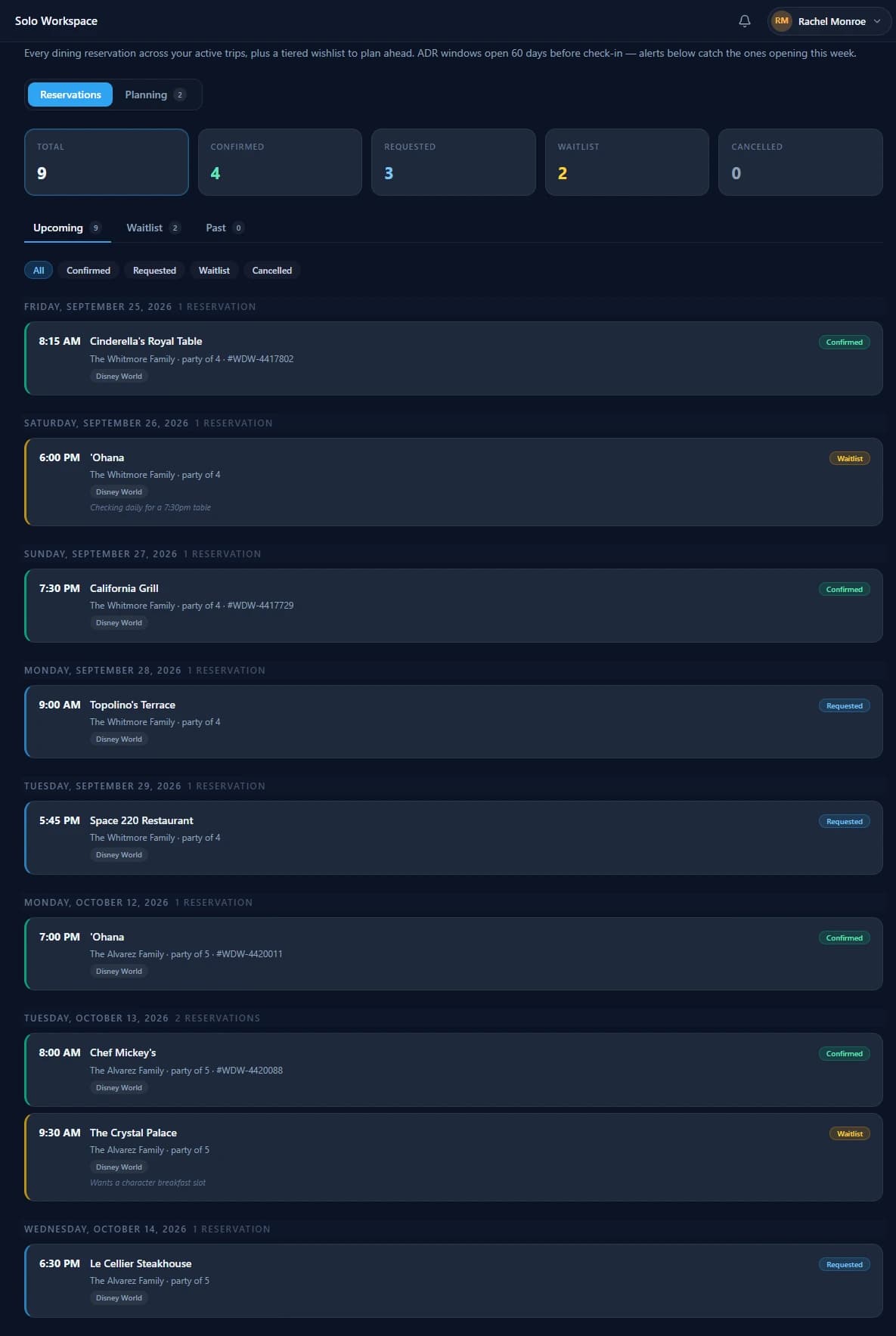
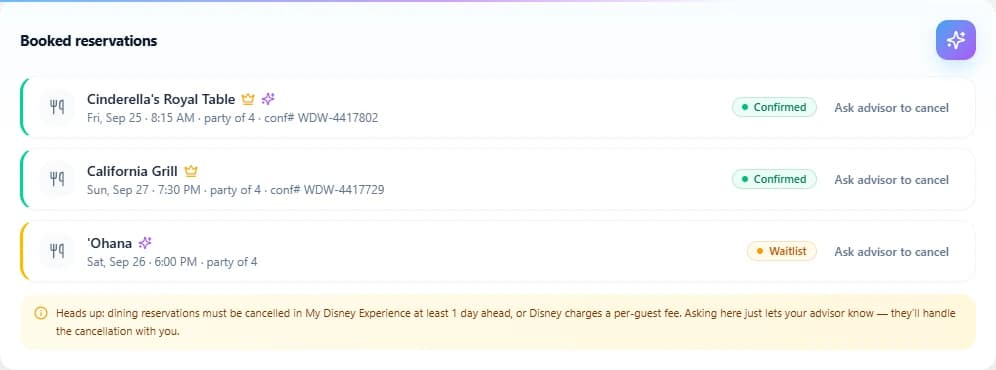
What you got, what you're still chasing, and what is sitting on a waitlist — across every active trip, not one client at a time. Requested and waitlisted are first-class states here, because half of ADR work is the tables you haven't got yet.
What it does not do
Nothing here books a table.
There is no bot racing Disney's reservation system on your behalf, and we are not going to pretend otherwise. Your client asks; you book it in My Disney Experience like you always have. What changes is that the asking, the ranking, the allergy and the confirmation number all live in one place instead of five.
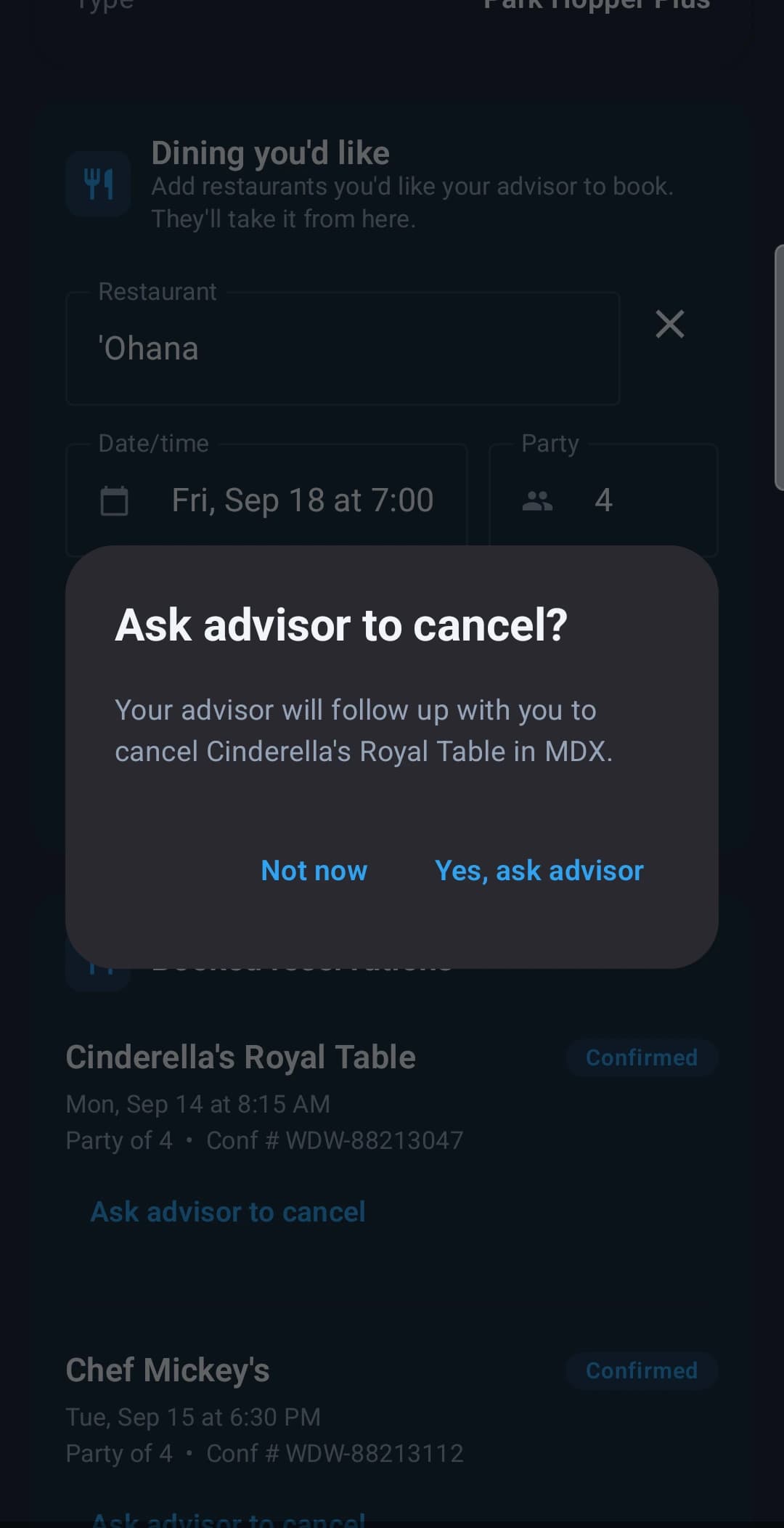
Cancelling works the same way. A client tapping Ask advisor to cancel does not cancel anything — it tells you, and the app says so plainly, including the part about Disney's per-guest fee inside one day.
In the box
Dining is a feature here, not a custom field.
A generic CRM gives you a notes box and wishes you luck. This one already knows what an ADR window is.
How agents actually run ADR day- Tiered ADR wishlists your clients rank themselves
- Dining notes for allergies, dietary needs and celebrations
- Confirmation numbers, party sizes and status per reservation
- Requested and waitlist states, not just confirmed
- Reservations grouped by date across every active trip
- Everything visible on iPhone, Android and the web
Try it before the next window opens.
Thirty days, every feature, no credit card. Your clients get the trip app free, on iPhone, Android and the web.