iPhone · Android · Web
One trip.
Two apps.
You get a real CRM on your phone — build the itinerary, track the dining, log the payment. Your travelers get a free app with the countdown, the plan and a line straight to you. Same trip, two sides, both included on every plan.
Free for your clients · Included on every plan from $10/mo
For you — the agent app
Your whole book of business, in your pocket.
Most travel CRMs are desktop tools with a view-only phone app bolted on. This one is the real thing. Every screen below is something you can do, not just look at — from the school pickup line, the cruise terminal, or the couch.
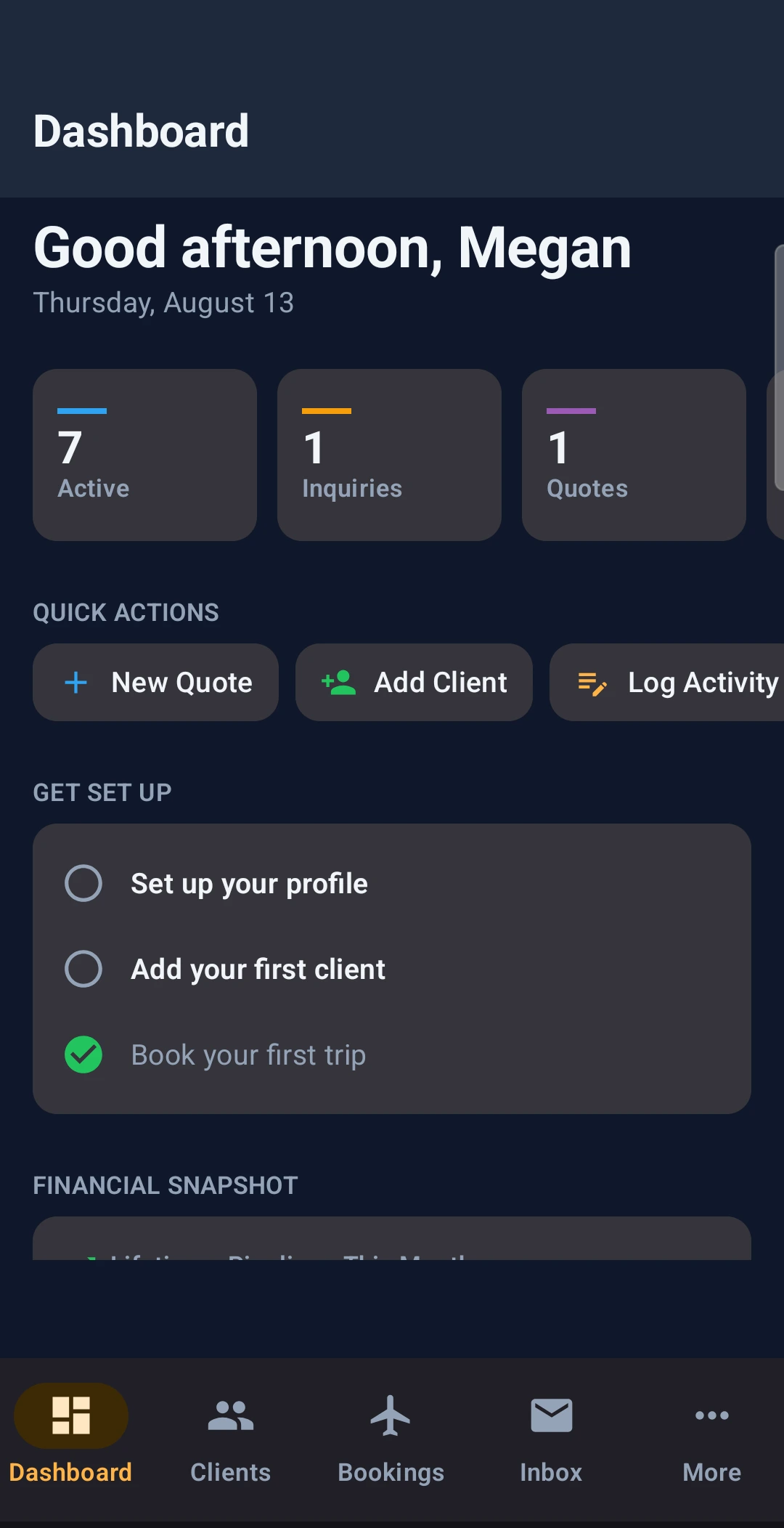
Dashboard
Active trips, inquiries and quotes the moment you open it. New quote, add client and log activity are one tap from here.
Every trip
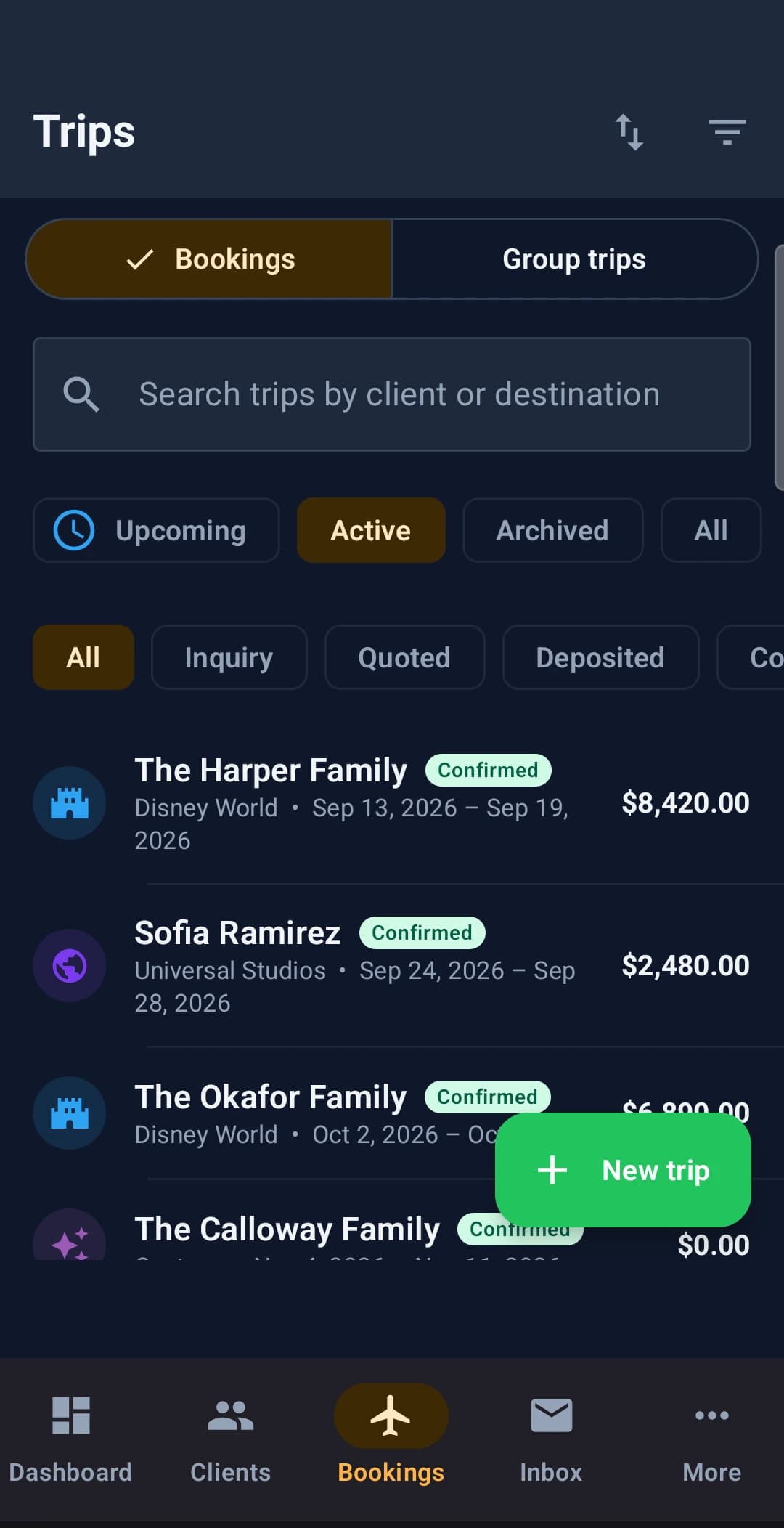
Filter by upcoming, active or status. Search by client or destination. Disney World and Universal trips side by side, each with what it is worth.
Clients
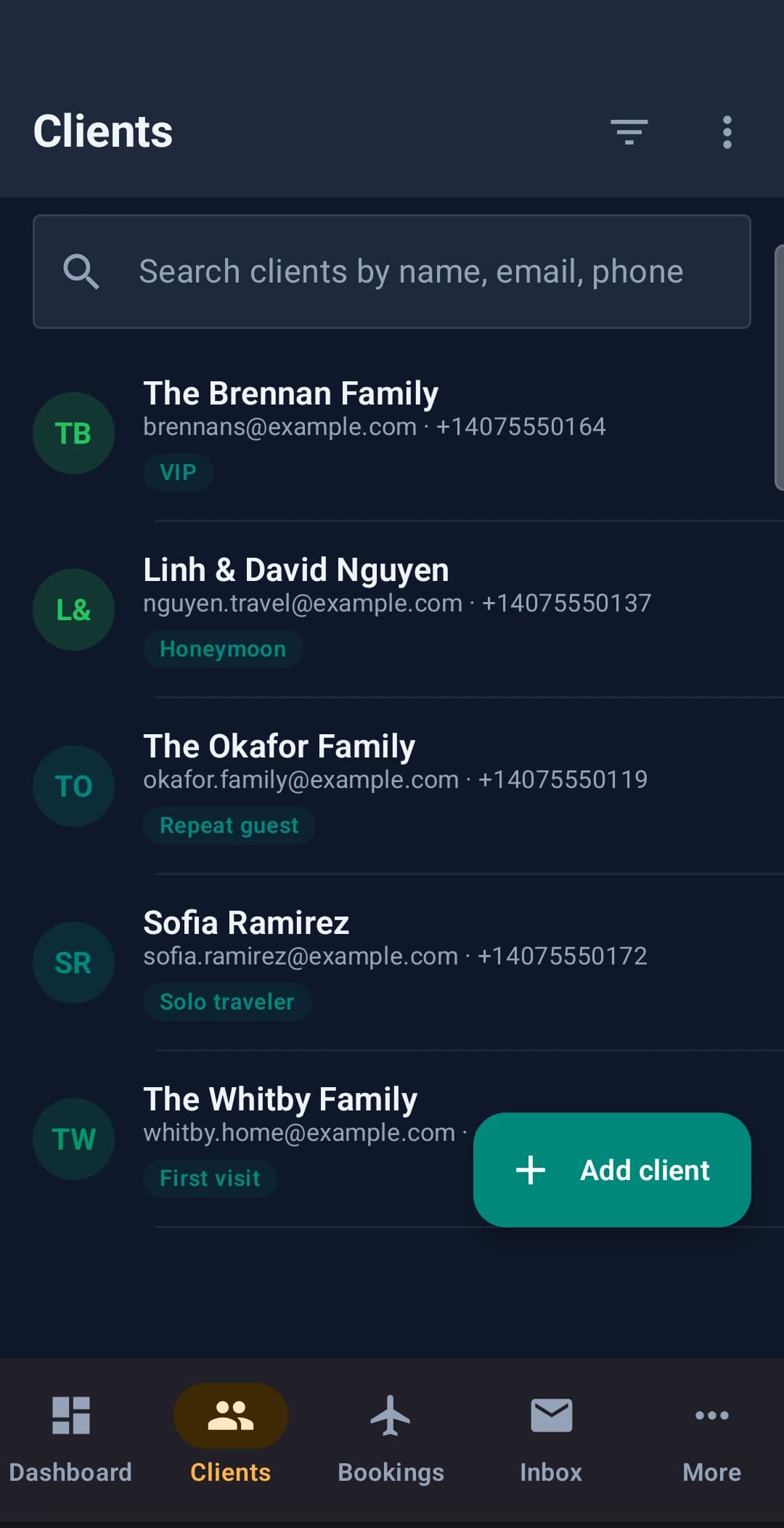
Everyone you look after, tagged the way you think about them — VIP, honeymoon, repeat guest, first visit — and searchable by name, email or phone.
Booking detail
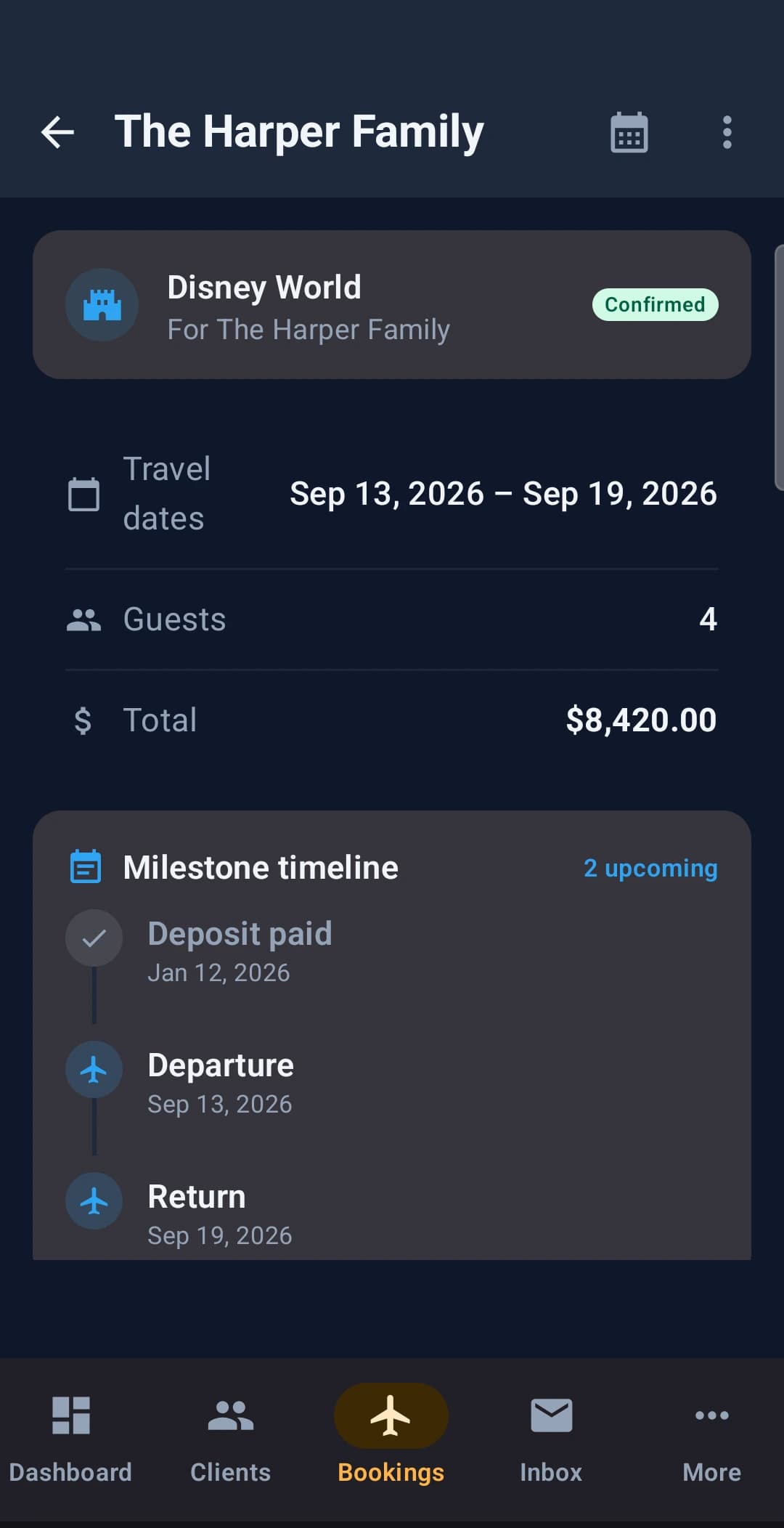
Open a trip and it is all there — dates, guests, the total, and a milestone timeline from deposit paid through departure and return.
The handoff
You build the day. They live it.
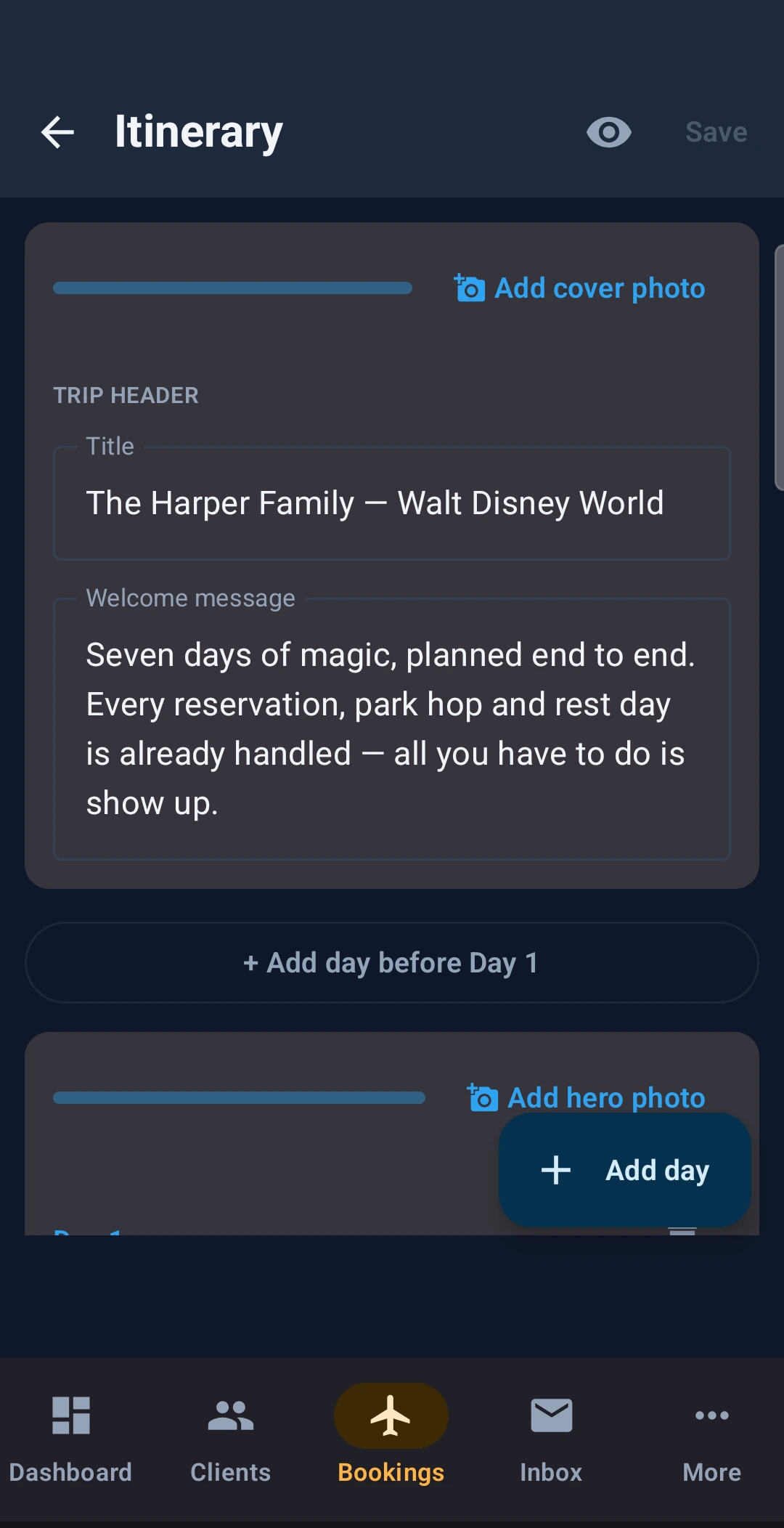
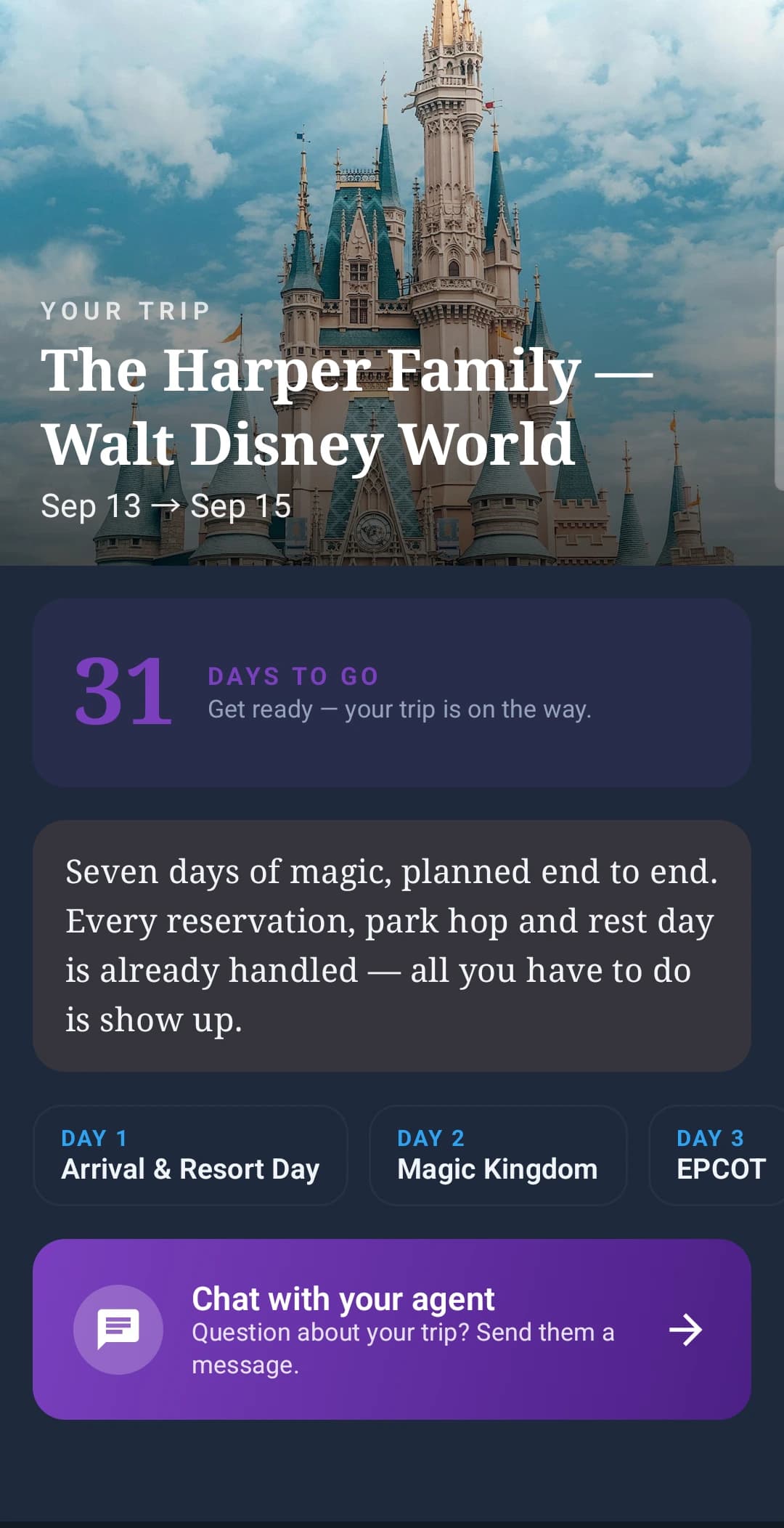
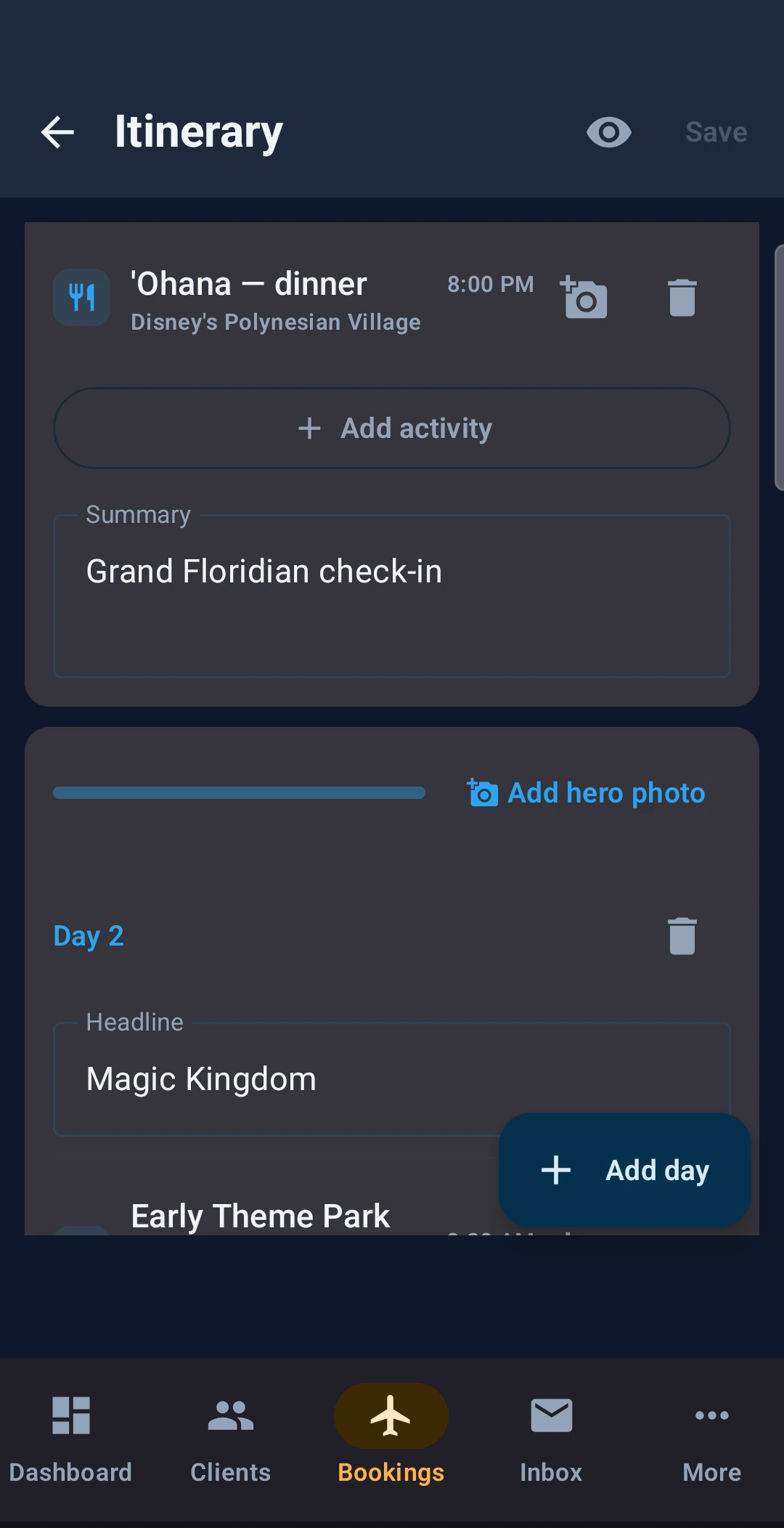
This is the same day of the same trip. On the left, what you type on your phone. On the right, what the family opens on theirs. Nothing is re-entered, re-formatted or emailed as a PDF.
The trip
What you type
You set the trip title and the welcome message they read first, then build it out a day at a time.
What they see
They open a castle hero, a countdown, and a card per day — Arrival, Magic Kingdom, EPCOT.
The day
What you type
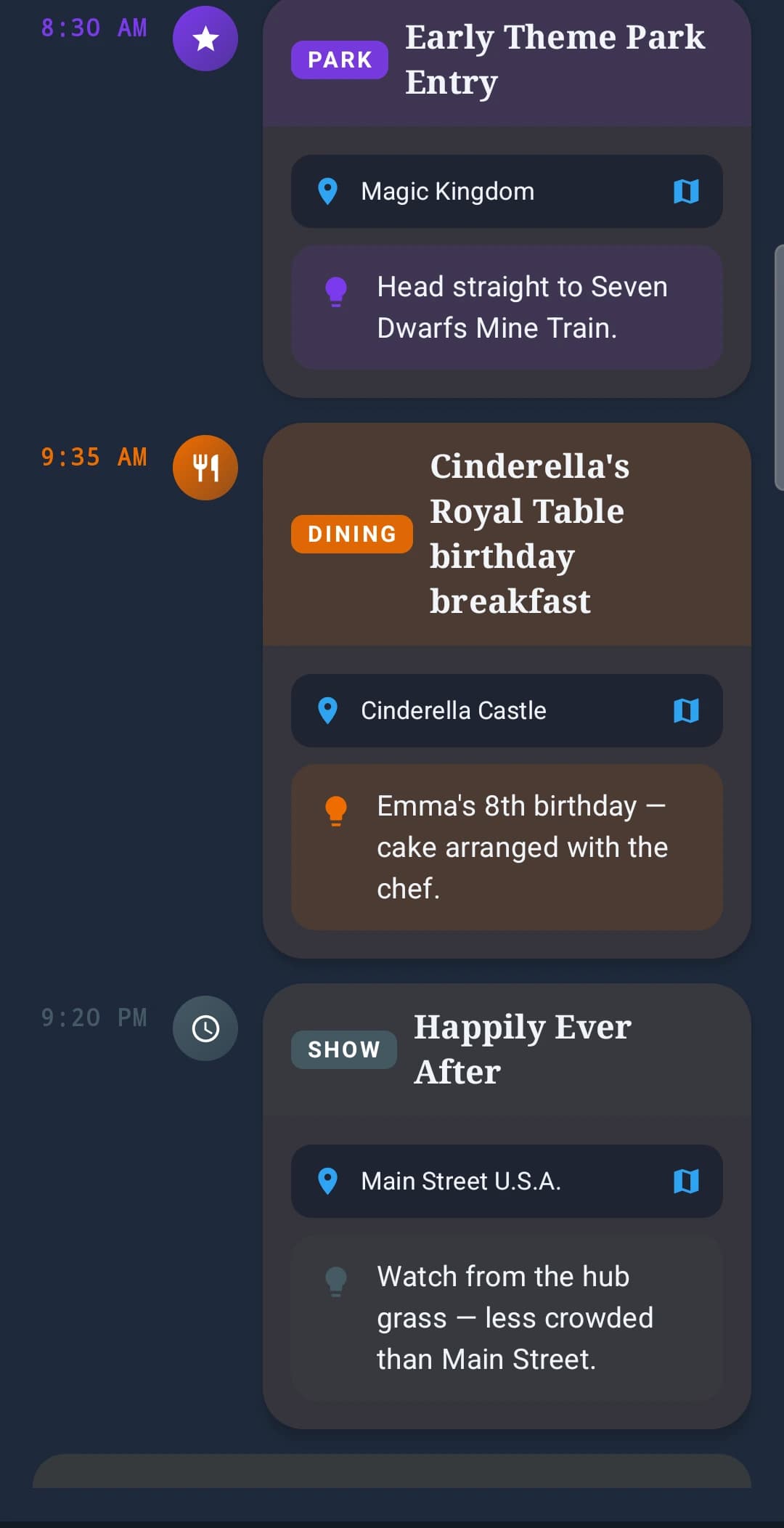
You add the early entry, the 8:00 PM 'Ohana dinner, and a note about the birthday cake.
What they see
They get a timeline with tap-through locations and your advice in place — “Emma’s 8th birthday, cake arranged with the chef.”
Advance dining reservations
The 6am scramble, handled before it starts.
ADR day is the most stressful hour of a Disney booking. This is that workflow end to end — the family’s ranked wishlist, the same ranking on your booking, and the confirmations landing back in their app. They ask; you book.
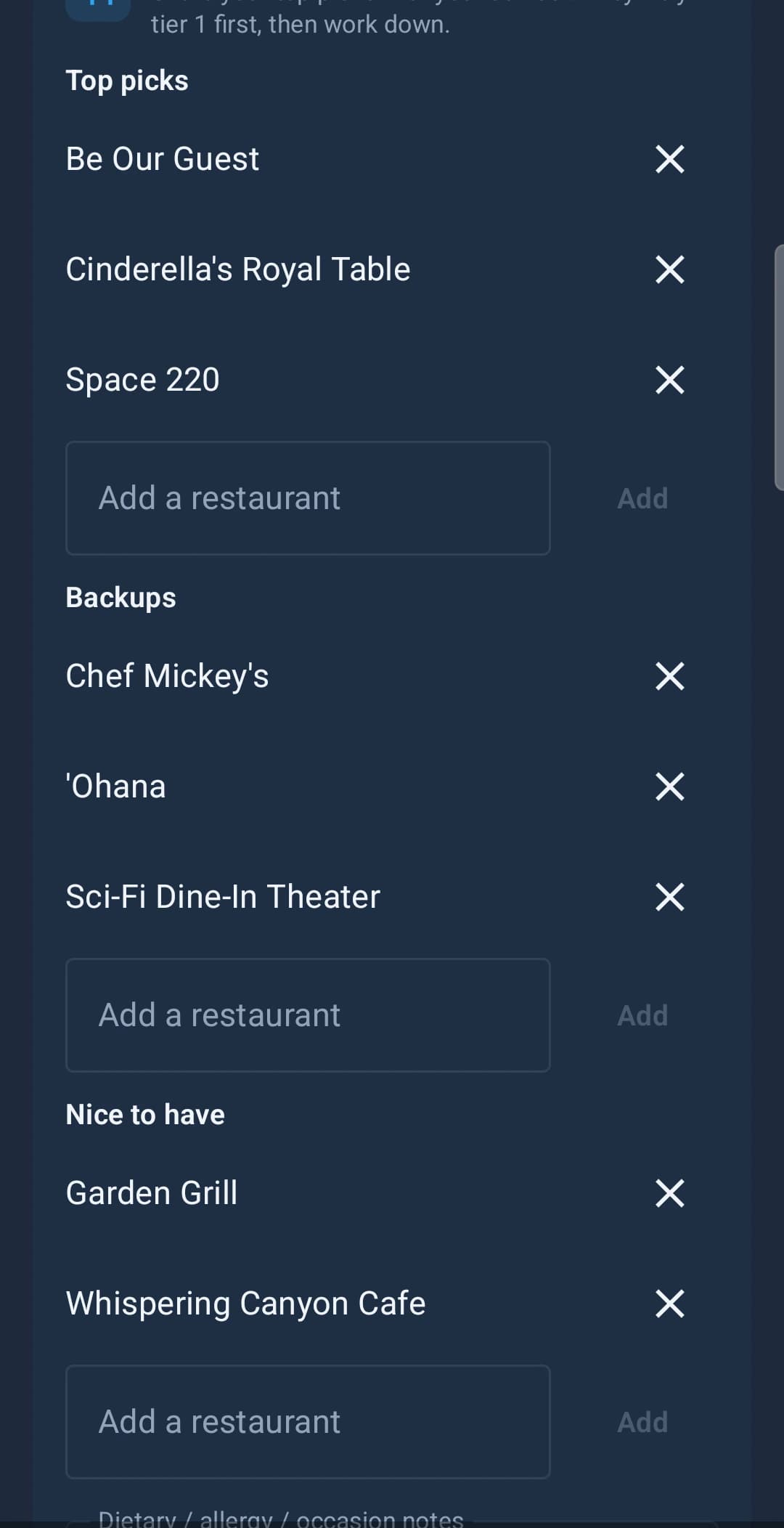
They tell you what they want
Top picks, backups, nice-to-have. The family ranks their own list, so you know what to fight for when the window opens and what they would happily live without.
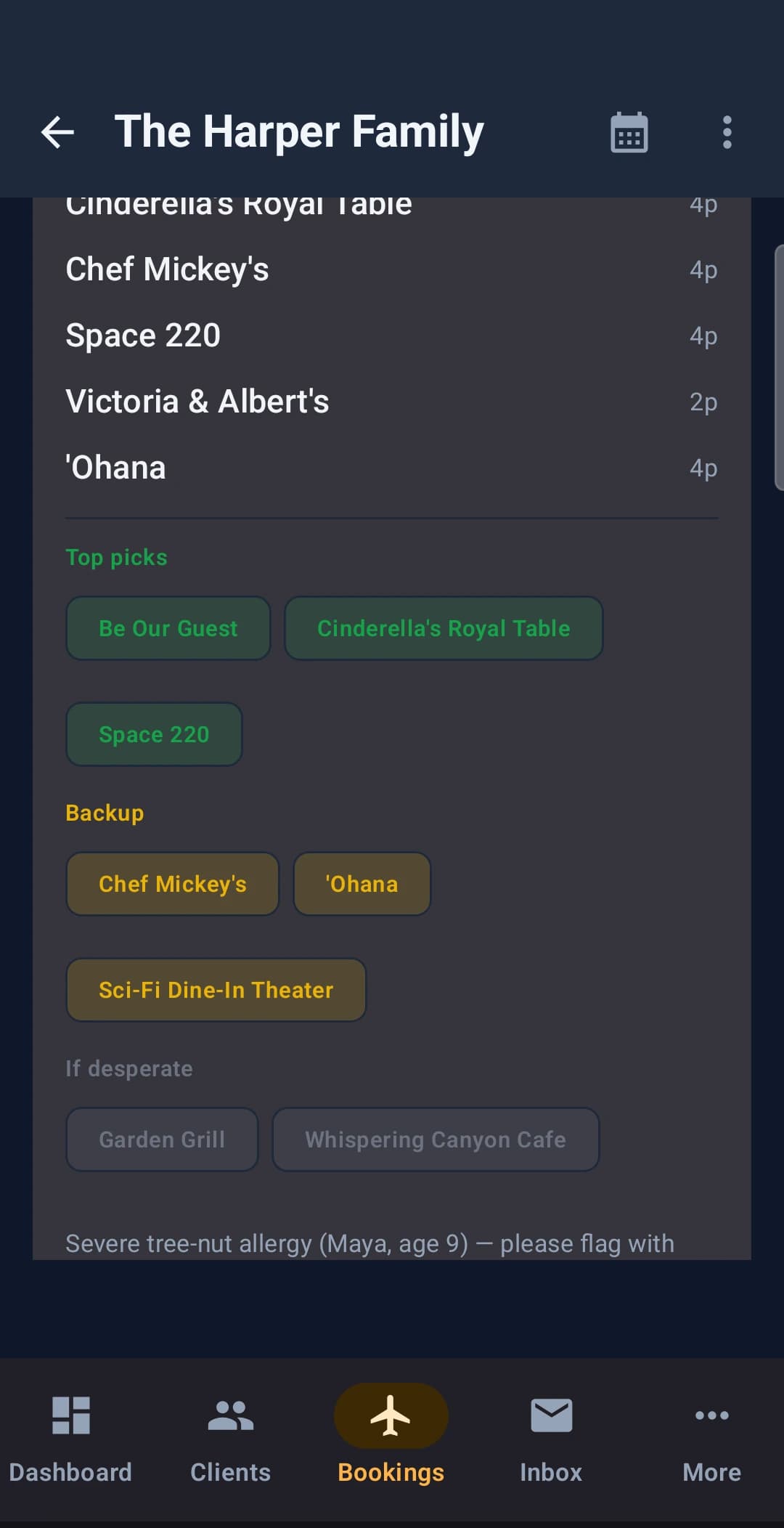
You get it where you work
The same ranking, colour-coded on the booking — and the allergy note travelled with it. No re-asking three weeks later in a thread you have to scroll to find.
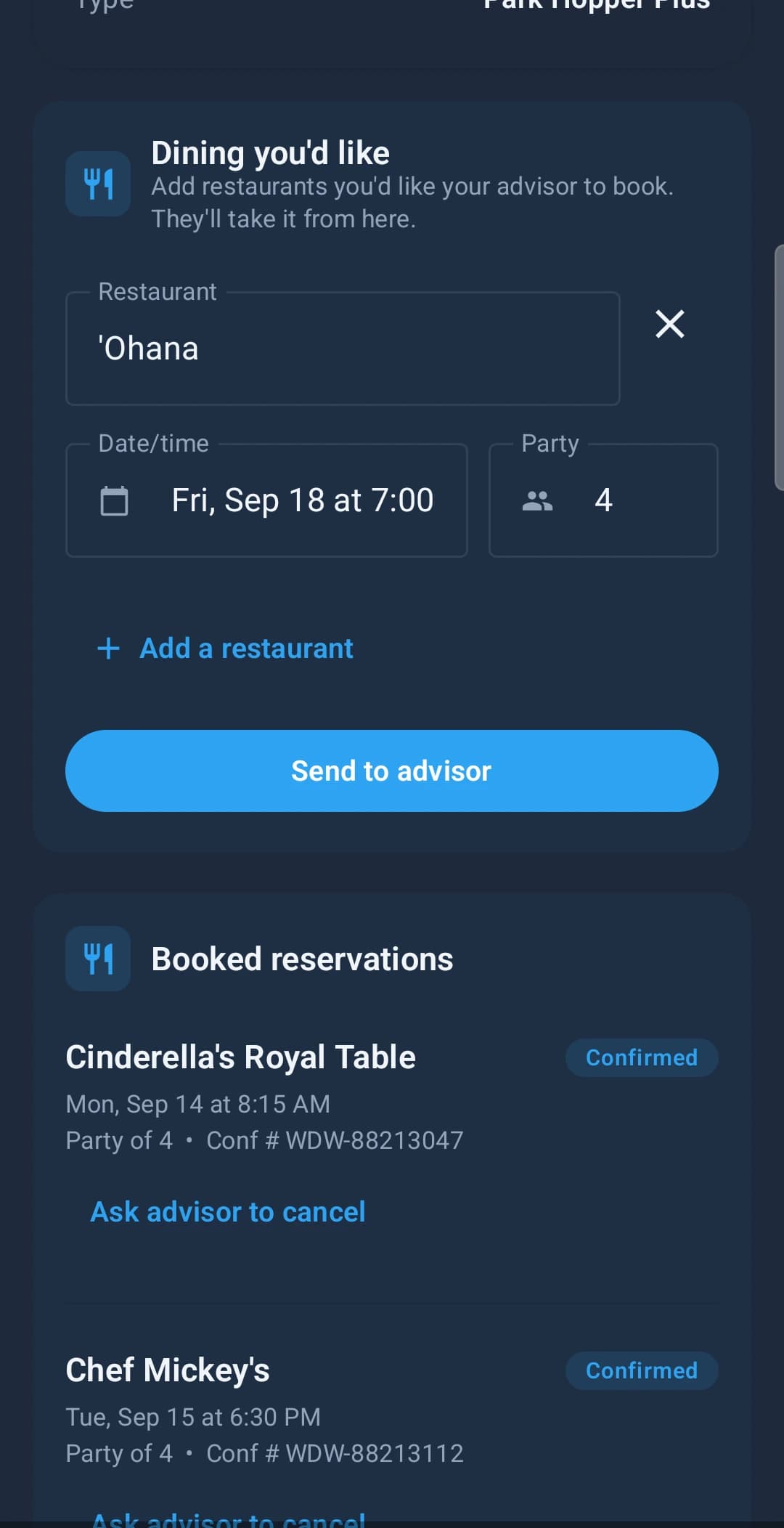
They watch it come true
Confirmation numbers on the tables that landed, and honest status on the ones still out. They check this instead of messaging you — and cancelling is still an ask, not a self-serve button.
For them — the trip app
The part your clients actually see.
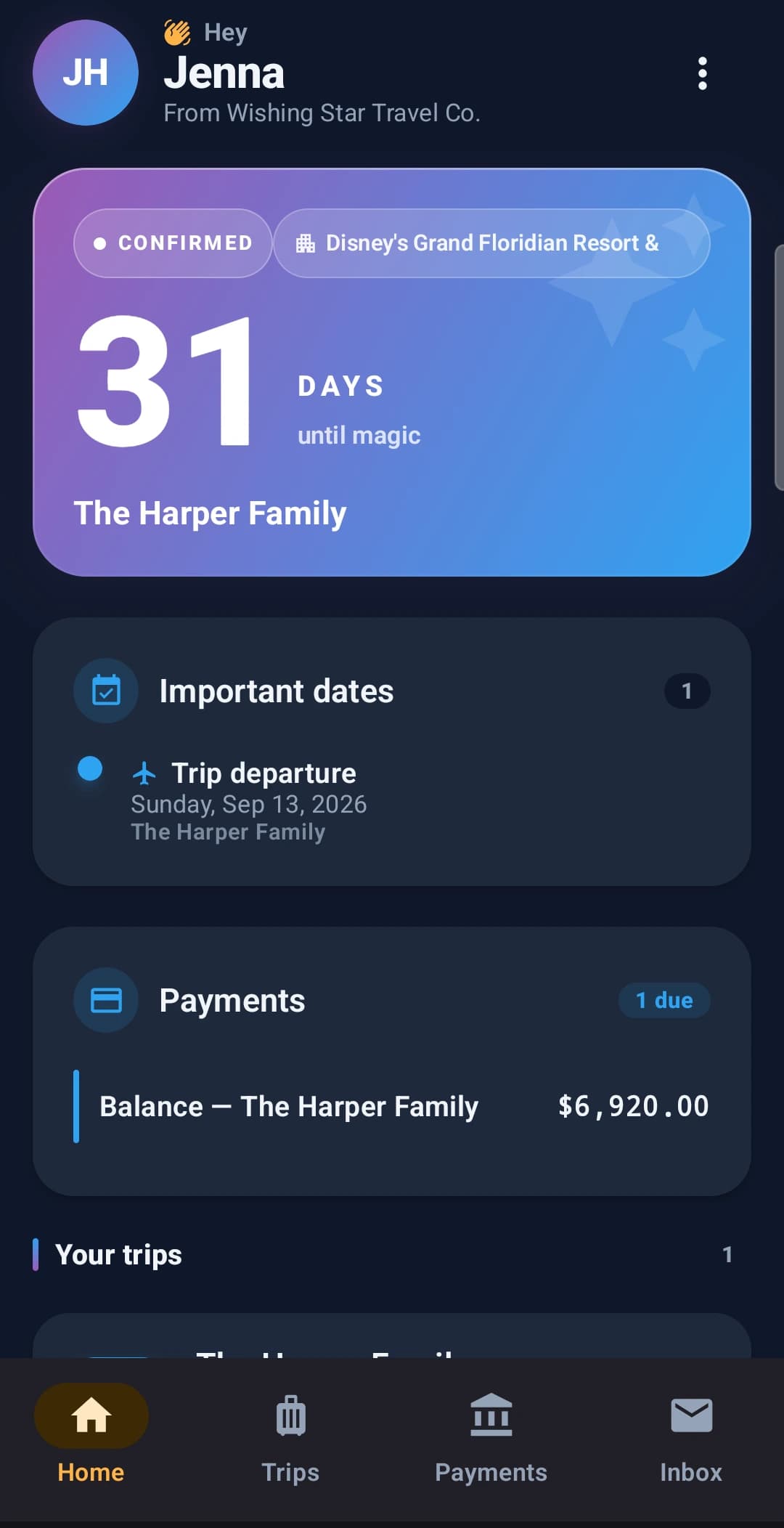
Not a portal they need a password reset for. They download it free, and it opens on a countdown with your agency’s name on it — not ours.
The countdown
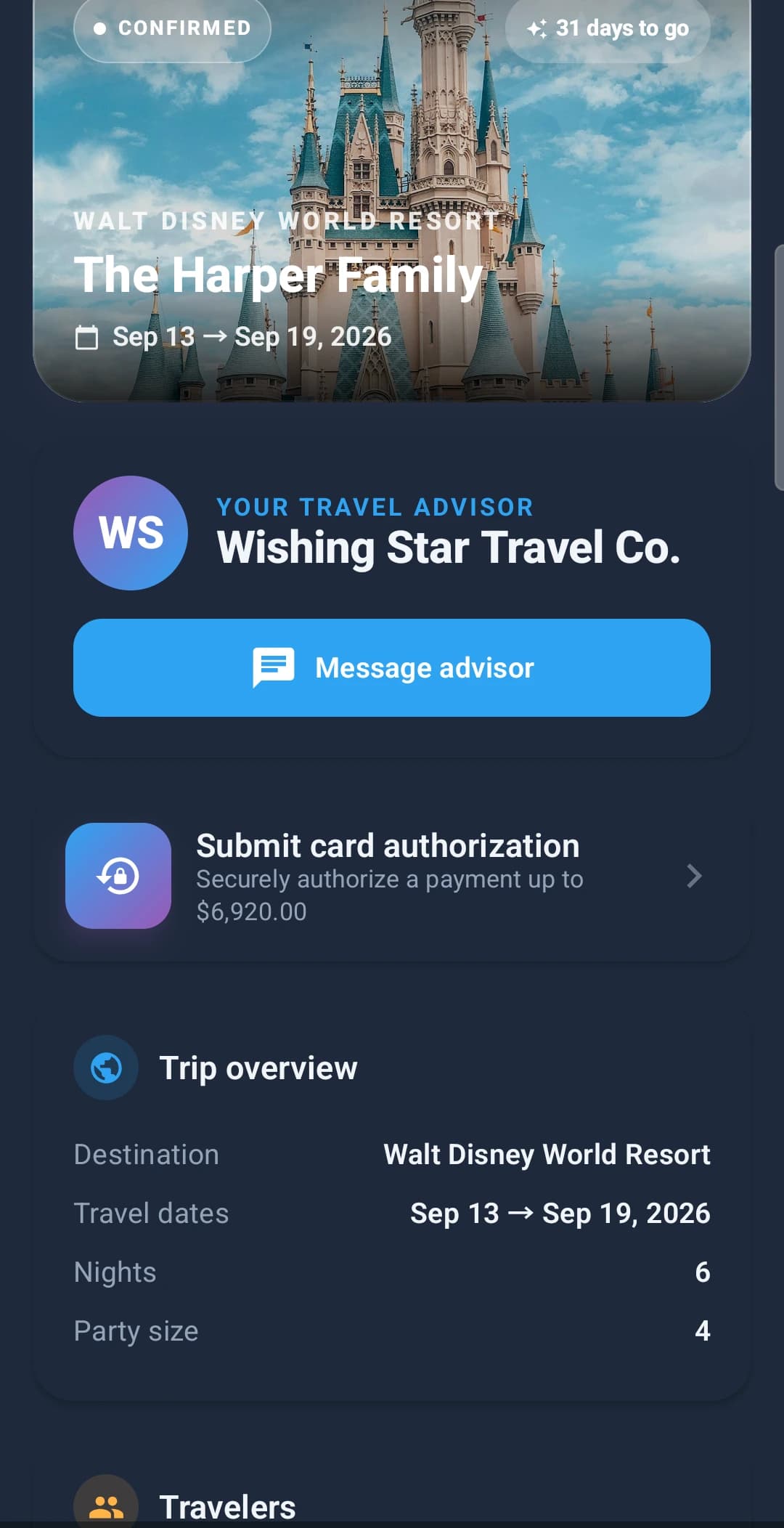
Opens on days-until-magic with your agency's name under theirs. Their departure date and outstanding balance sit right underneath.
Their trip
Destination, dates, nights, party size and the balance to authorise — and you, one tap away, instead of buried in an email thread from March.
Clients never pay, never subscribe, and never see the admin side.
Not a read-only companion
Everything the desktop does, the phone does.
Get both apps. Free for 30 days.
Start a trial, build one itinerary, and send a client the app. You will know within a day whether it fits how you work.
No credit card required · Cancel anytime