Communication
Stop Drowning in Texts, Emails, and DMs
Every travel agent's nightmare: scrolling through 47 text threads to find that one confirmation number a client sent you three weeks ago. Meanwhile, there's a DM on Instagram you forgot to answer and an email buried somewhere in your inbox. Sound familiar? There's a better way.
One Conversation Per Booking. That's It.
Here's how it works: every message in Pixie Dust lives inside a specific booking. No guessing which trip you were talking about. No “wait, was that the Disney cruise or the Universal trip?” moment. Just open the booking, scroll to messages, and chat.
Tied to the Booking
Every message thread is attached to a specific trip. When your client has three upcoming vacations, you'll never mix up which conversation belongs to which booking.
Same Thread, Both Sides
You see the conversation in your web dashboard. Your client sees the exact same thread in their mobile app. No messages falling through the cracks.
Think of it this way: instead of a jumbled text chain where vacation details are mixed in with “hey can you also check on my dining reservations?” and random photos, everything stays organized by trip. Open the booking, see the full conversation history. That's it. No digging. No searching. No headaches.
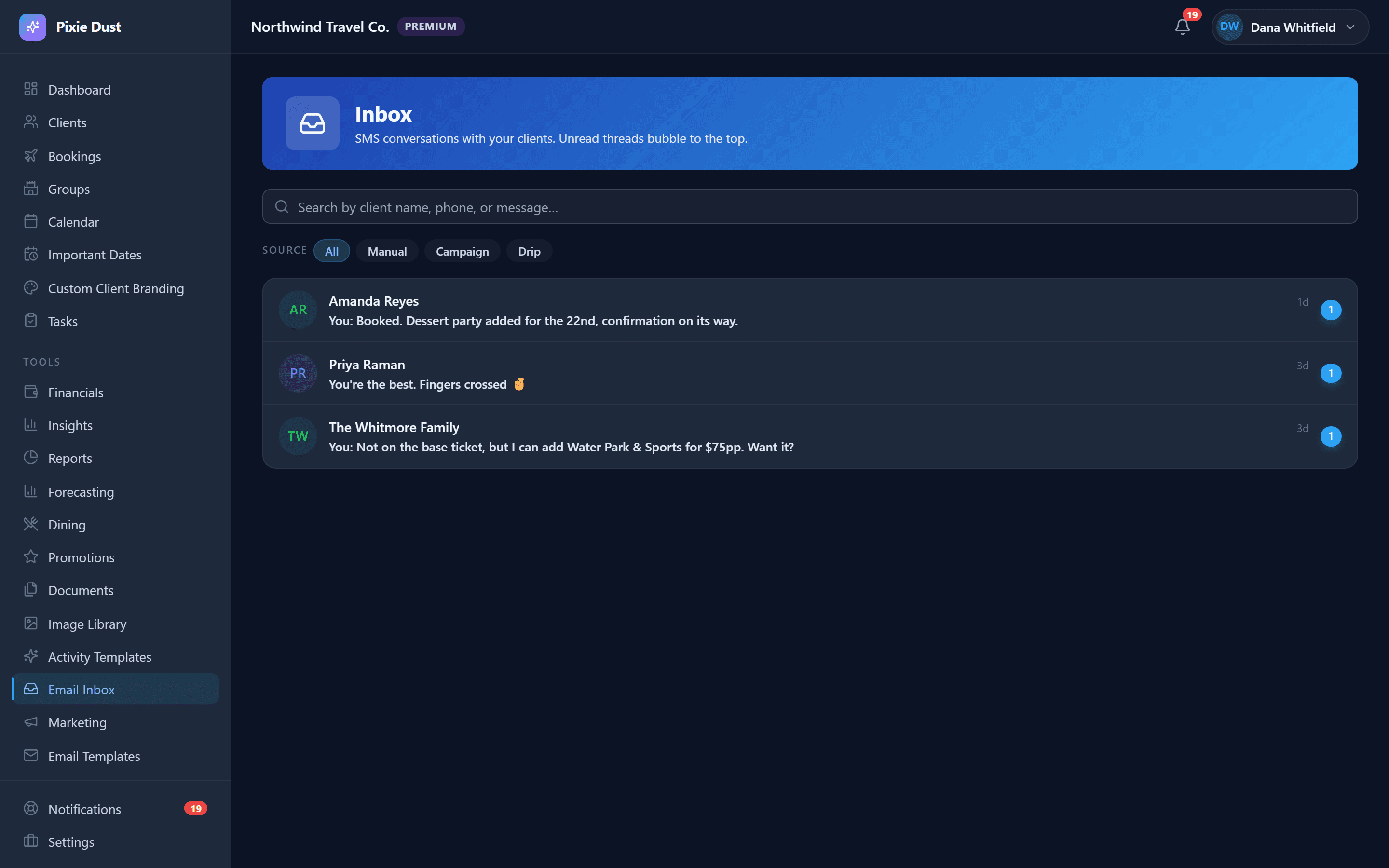
Notifications That Keep You in the Loop
When you send a message, your client gets notified. When they reply, you get notified. Simple, right? But it goes way beyond just messaging alerts.
Message Alerts
Clients get push notifications when you send a message. You see a notification the moment they reply. No more checking your phone every five minutes wondering if they responded.
Notification Center
All your alerts live in one place — new messages, quote form submissions, approaching travel dates, payment deadlines, task due dates. It's your command center for everything that needs your attention.
Unread Count in the App Bar
See at a glance how many notifications are waiting for you. When you've handled everything, tap "Mark all read" and clear the deck. That clean-inbox feeling, but for your entire CRM.
The bottom line: you'll never miss a client question again. And your clients will never wonder if you got their message.
Email Templates for the Repetitive Stuff
Let's be honest — you probably send some version of the same email to every new client. The “here's what to expect next” email. The “your final payment is coming up” reminder. The “welcome to my agency” note. Why rewrite them every single time?
1Create by Category
Organize your templates into categories that make sense: Welcome, Reminder, Confirmation, or Custom. Build as many as you need.
2Smart Variables
Templates support variables that auto-fill with your client's name, booking details, travel dates, and more. Write once, personalize every time — without the manual copy and paste.
3Send from Any Booking
Open any booking detail page in the web app, pick a template, and send. The variables fill in automatically based on the client and booking you're viewing. What used to take 10 minutes of rewriting now takes about 10 seconds.
Stop rewriting the same emails. Your “here's what to expect” email for new clients? Write it once as a template. Your payment reminder? Same thing. Your post-trip thank-you note? You get the idea. Build your library of templates and let the CRM handle the personalization.
Professional Without the Overhead
Let's talk about the reality of client communication as a travel agent. You've basically got three options — and two of them have serious problems.
Texting Clients
- ✗Feels unprofessional
- ✗Nearly impossible to search
- ✗Mixed with your personal life
- ✗Clients text at all hours
- ~More professional, but formal
- ~Slow back-and-forth
- ✗Gets buried in their inbox
- ✗Not tied to any booking
Pixie Dust Messaging
- ✓Organized by booking
- ✓Professional and polished
- ✓Instant notifications
- ✓All in one place
Here's the win-win: your clients feel taken care of because they have a dedicated place to reach you — right inside the app where they can also see their itinerary, documents, and trip countdown. And you feel organized because every conversation is exactly where it should be. No more digging through texts at 11pm trying to find a confirmation number. Just open the booking. It's all there.
Frequently Asked Questions
Do my clients need the app to message me?
Yes. In-app messaging is available to clients who have created an account through their invite code. This keeps all communication secure, organized, and tied to the right booking — unlike scattered texts and emails that get lost over time.
Are messages organized by booking?
They are. Every message thread lives inside a specific booking, so you always know which trip a conversation is about. If a client has multiple upcoming vacations, each one has its own separate message thread. No more guessing which trip someone is asking about.
Does Pixie Dust CRM support SMS messaging?
Yes, on Pro and Premium. You text clients from inside the CRM through a business number, so your work conversations stay separate from your personal texts and the history saves to the booking instead of living on your phone. Replies come back to a shared inbox. Pro includes 200 messages a month and Premium 500, with top-ups if you run over. Opt-outs are handled for you — every message carries STOP and HELP instructions, and a STOP is recorded against the client automatically.
Can I send images and files in messages?
The messaging system is focused on text-based communication right now. For sharing documents, screenshots, and files with your clients, the Document Vault feature lets you upload and organize files that your clients can access directly from their trip view in the app.
Do I get notifications for new messages?
Yes. When a client sends you a message, you get a notification immediately — both in your notification center on the web dashboard and as a push notification on your phone. You’ll also see an unread count in the app bar so you always know when something needs your attention.
Thirty days. No card.
From $10/month for solo agents, with per-seat plans for host agencies. Your clients get the trip app free.