Document Vault
Every Confirmation, Every Document, Always Findable
You know the one. Three days before the trip, your client texts: "Hey, can you resend that PDF?" With Document Vault, every file you've ever shared is right there — attached to the booking, visible to your client, no digging through email required.
Upload Once, Share Instantly
Drag a file onto any booking and it's done. Your client can see it immediately on their trip detail page — no email, no follow-up, no "did you get that?" It just works.
Upload PDFs, images, Word docs, text files — whatever you've got. Files go straight to secure cloud storage and show up for your client right away. They can view or download from their app whenever they need to.
Think about how many times you've emailed a confirmation PDF, had it bounce or land in spam, then re-sent it, then got asked for it again two weeks later. That whole cycle disappears. Upload once, and it's there forever.
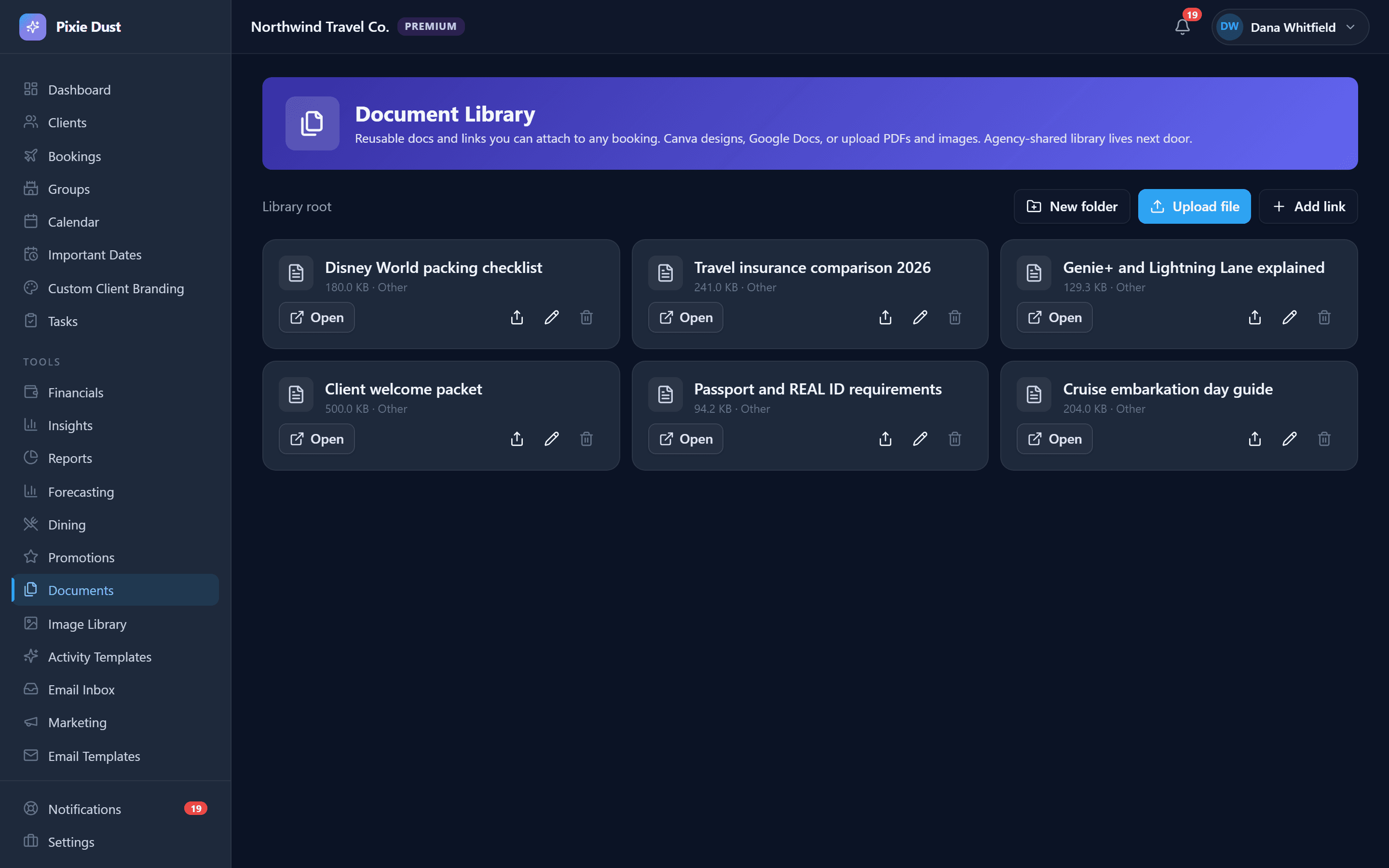
Your Document Library
Some documents you send to almost every client — packing lists, travel guides, park maps, your cancellation policy. You shouldn't have to upload the same file over and over again.
Your personal Document Library lets you upload common files once and keep them ready to go. When you're working on a booking, just attach a library document with one tap. No re-uploading, no hunting through your Downloads folder.
It's perfect for anything you find yourself sharing repeatedly. That "What to Pack for Disney in July" guide? Upload it once to your library and attach it to every summer booking in seconds.
And if you ever delete a file from your library, don't worry — copies already attached to bookings stay right where they are. Your clients won't lose access to anything.
Your Clients See Everything They Need
On the client side, there's a Documents tab right on their trip detail page. Clean, simple, no clutter. They see a list of every file you've shared — with file icons, names, sizes, and upload dates.
Tap to view. Tap to download. That's it.
Boarding passes, resort confirmations, dining reservations, park maps — everything lives in one place. Your clients don't have to scroll through months of email threads or search their inbox for "confirmation" hoping the right one pops up.
The result? Fewer "can you resend that email?" messages. Fewer frantic texts the night before check-in. Your clients feel organized, you look professional, and everybody's happier.
Secure by Default
You're handling real client data — booking confirmations with names, reservation numbers, payment details. Security isn't optional.
Every file is encrypted in transit and at rest on enterprise-grade cloud infrastructure. Your client's data is isolated to your agent account — it's never shared, never mixed with other agents' data, never accessible to anyone who shouldn't see it.
You don't have to think about any of this — it just works quietly in the background. But it's nice to know that when a client trusts you with their travel documents, those files are locked down properly.
Frequently Asked Questions
What file types can I upload?
Document Vault supports PDF, JPG, JPEG, PNG, GIF, WebP, DOC, DOCX, and TXT files. That covers the vast majority of what travel agents share — booking confirmations, resort maps, park guides, packing lists, and more.
Is there a file size limit?
Each individual file can be up to 100 MB — enough for booking confirmations, travel documents, high-resolution images, and full trip packets without compressing or splitting anything.
Can my clients upload documents too?
Currently, only agents can upload documents to bookings. Your clients can view and download any files you’ve shared from their trip detail page in the app, but they can’t upload files themselves.
What happens to documents if I cancel my subscription?
Your documents are stored securely in cloud storage as part of your Pixie Dust CRM account. If you cancel your subscription, you’ll want to download any files you need beforehand, as access to your account — including stored documents — will end when your subscription expires.
Are documents shared between team members?
Documents are scoped to the agent who uploaded them. Each agent’s files are isolated to their own account, so there’s no crossover between team members. If multiple agents work on the same client, each agent manages their own document uploads independently.
Thirty days. No card.
From $10/month for solo agents, with per-seat plans for host agencies. Your clients get the trip app free.