Secure Payments
How to Send a Credit Card Authorization
You need a client's card to pay a Disney balance or hold a deposit — but card numbers don't belong in your inbox or your texts. This guide shows you how to send a secure, encrypted authorization form, let your client submit their own card, and charge with a clear record of exactly what was approved.
Why not just take the card over email?
Because a card number screenshotted into your inbox, texted to you, or written on a sticky note lives on long after the charge is done — in your email, your messages, your trash, your phone. That's a liability you don't want and your client shouldn't accept.
A credit card authorization form (CCAF) flips it around: your client enters their own card into a secure, encrypted form and approves a specific charge. You get a documented authorization — amount, description, signature — without ever touching the raw number. Here's how to send one.
Step by step
The whole thing takes under a minute to send. Here's each step.
1Open the request
From a booking, or straight from a client's profile, choose Request card authorization. You can send one against an existing booking, or as a pre-booking deposit right from the client record — whichever fits.
2Set the amount and description
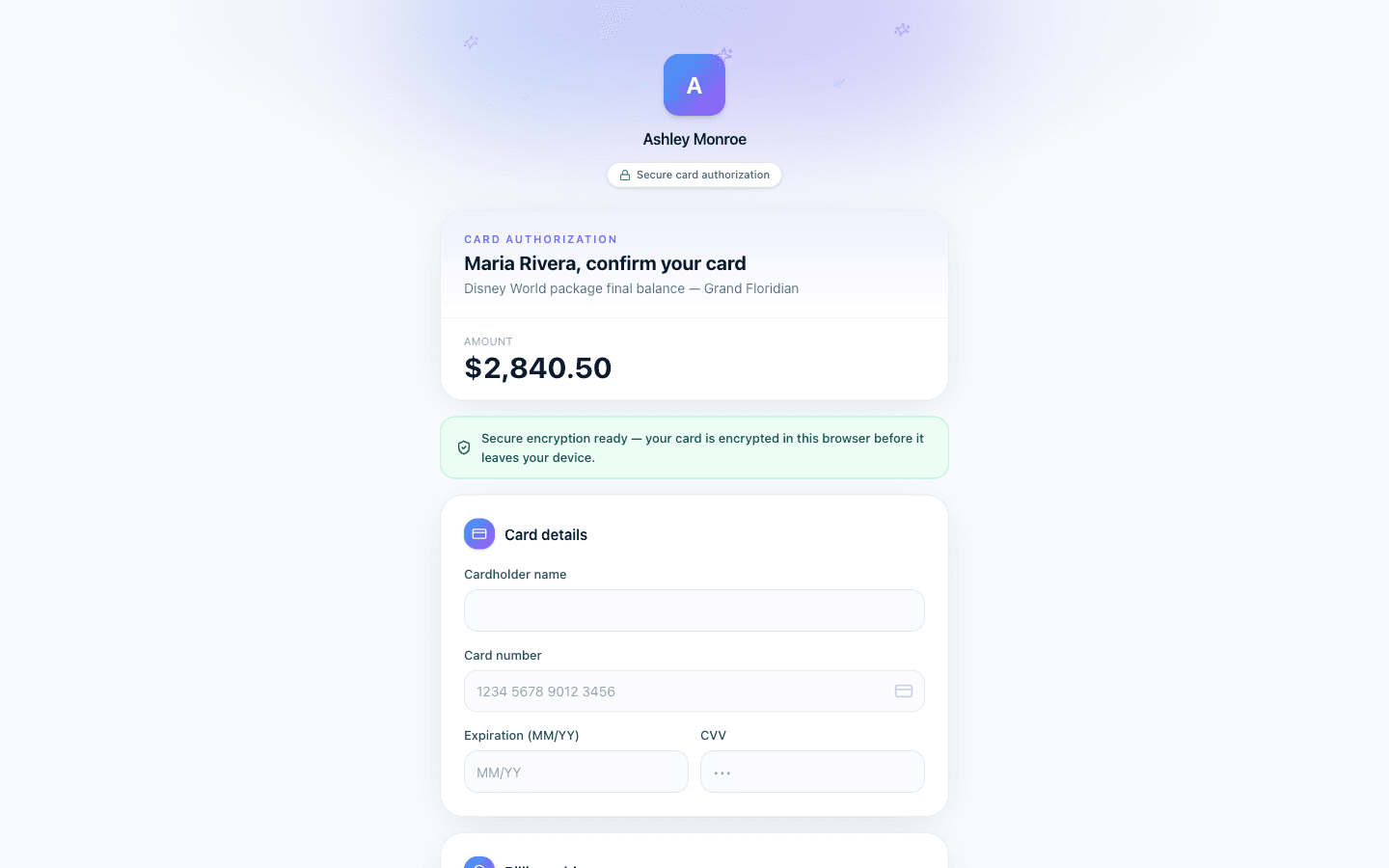
Enter the amount and a short description your client will recognize — “Disney World package final balance” or “Deposit to hold your dates.” Clarity here means fewer “what's this for?” replies later.
Need flexibility? Turn on Authorize up to this amount and you can charge anything up to that ceiling within the window, instead of one fixed number — ideal when a final balance is still settling.
3Choose how to send it
Every request goes out as a branded email with a secure link. Flip on Also send via SMS to text it too. Texting is skipped automatically when the client has no phone on file, and only sent to clients who've opted in to messages — so you stay compliant without thinking about it.
4Your client submits it securely
The link opens a clean, branded form. Your client enters their card into an encrypted field — the number is protected end-to-end and never lands in your email, your messages, or plain text anywhere. They review the amount, add a signature, and submit.
You're notified the moment it comes back, and the authorization is filed against the booking.
5Charge within the window
Once authorized, you have a defined window to run the charge with your supplier — a fixed amount, or anything up to your authorize-up-to limit. The amount, description, and signature are all on record, so you have proof of exactly what was approved and when.
Tips that keep it smooth
- →Use authorize-up-to for moving balances. If the final price might shift, set a ceiling instead of sending two requests.
- →Write the description like the client thinks. Reference the trip, not your internal shorthand.
- →Add the phone number first if you want to text the request — the SMS option is skipped when there's no number on file.
- →Send early. The authorization has a charge window — request it when you're ready to run it, not weeks ahead.
Common Questions
Do I ever see the client's card number?
No. It's encrypted the moment your client enters it and is never stored in plain text or shown back to you. You act on the authorization, not the raw digits.
Can I send an authorization before there's a booking?
Yes — send it straight from the client's profile for a pre-booking deposit, or from an existing booking for a balance. Either way it's documented and tied to the client.
What if my client takes a while to open the link?
The link stays valid for weeks so your client has time to act. The tighter charge window applies after they submit — that's the period you have to run the charge.
Can I text the request instead of emailing?
You can do both. Email always goes out; toggle SMS to also text it. Texts are only sent to clients who've opted in and have a phone number on file.
Want the full feature overview? See the Card Authorization feature →
Ready to try it yourself?
Thirty days free, no credit card. From $10/month for solo agents, with per-seat plans for host agencies.