Secure payments
Collect card authorizations without the security risk
Send clients a secure, encrypted form to authorize a card charge — no more card numbers screenshotted into email, texted over, or scribbled on a notepad. Charge within a 72-hour window, or set an authorize-up-to limit and bill the final balance when it lands.
Enter the amount and what it's for, then send — by email, or by email and text.
Card numbers don't belong in your inbox.
You need a client's card to pay a Disney balance, hold a dining deposit, or book an excursion. So they email you a photo of the card. Or read the digits over the phone while you write them on a sticky note. Or text them. Every one of those leaves card data sitting somewhere it shouldn't — in your inbox, your messages, your trash.
A credit card authorization form (CCAF) fixes that: the client enters their own card into a secure form, authorizes a specific charge, and you never handle the raw number at all. Pixie Dust builds that whole flow into your CRM.
1. Send the request
From a booking or straight from a client's profile, open “Request card authorization,” enter the amount and a short description (“Disney World package final balance”), and send. The client gets a branded email — and, if you choose, a text — with a secure link.
Need flexibility? Turn on Authorize up to this amount and you can charge anything up to that limit within the window, instead of one fixed amount — perfect for a final balance that's still moving.
2. Your client submits it securely
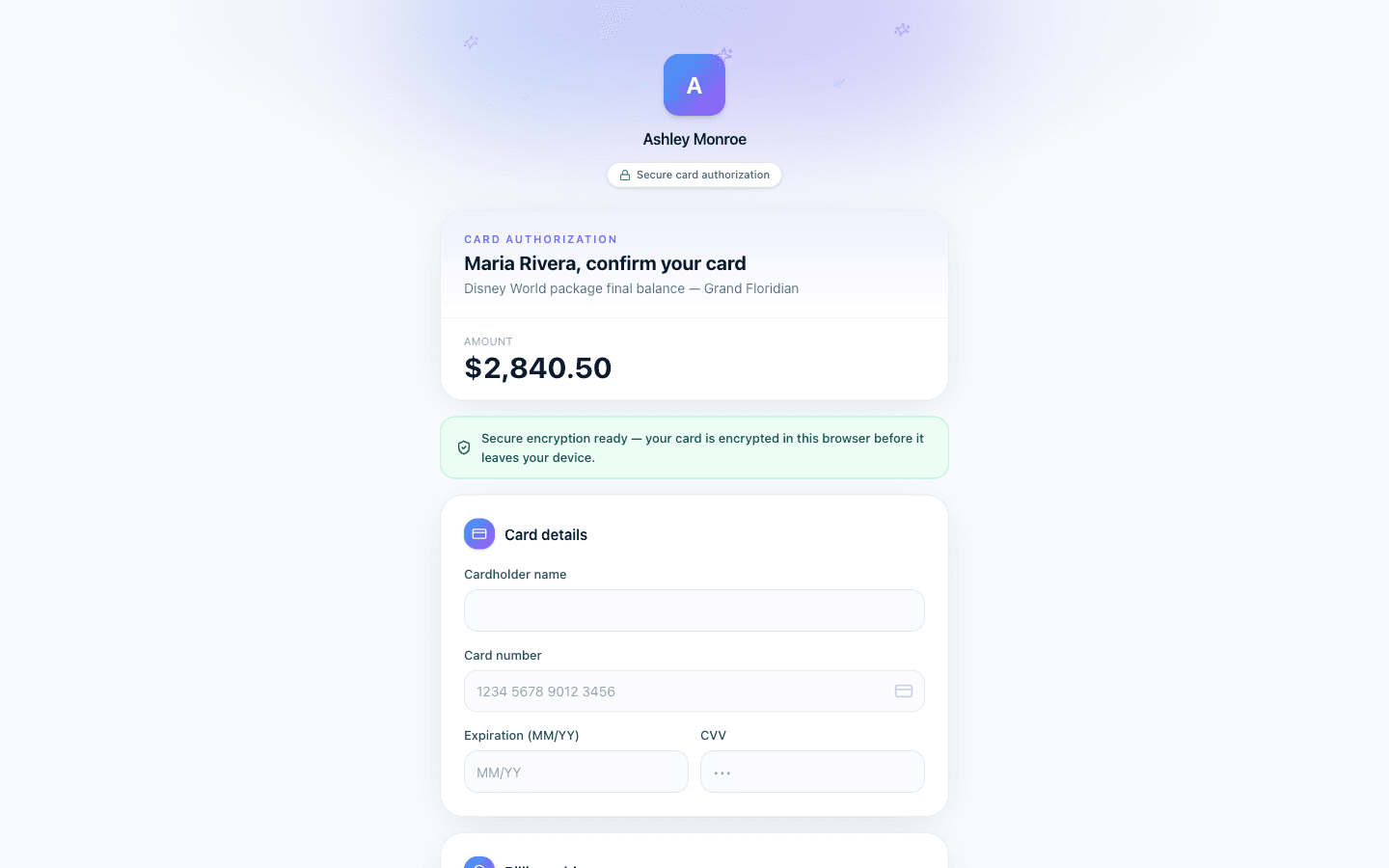
The link opens a clean, branded authorization form. Your client enters their card details directly into an encrypted field — the number is protected end-to-end and never lands in your email, your messages, or plain text anywhere in the system.
They review the amount and description, add their signature, and submit. You get notified the moment the authorization comes back.
3. Charge within the window
Once authorized, you have a defined window to run the charge with the supplier — a fixed amount, or anything up to your authorize-up-to limit. The authorization, the amount, the description, and the client's signature are all on file, tied to the booking, so you have a clear record of exactly what was approved and when.
No chasing screenshots. No card numbers lingering in your inbox. Just a documented, client-approved authorization you can act on.
Built to protect card data
- Encrypted end-to-end — the card number is encrypted the moment your client types it and is never stored in plain text.
- You never handle the raw number — no photos in your inbox, no digits read over the phone, no notepad.
- Time-boxed — authorizations carry a defined charge window, so a card isn't left open-ended.
- Documented — amount, description, and client signature are all captured and tied to the booking.
How It Works
From a booking or client profile, enter the amount and description and send the request
Client opens the secure, branded link by email or text
They enter card details into an encrypted field, review, and sign
You're notified and charge within the window — a fixed amount or up to your limit
Frequently Asked Questions
What is a credit card authorization form (CCAF)?
It’s a form your client uses to authorize you to charge their card for a specific amount and purpose — like a package balance or a deposit. Instead of handing you the raw card number, they enter it themselves into a secure form and approve the charge.
Do I ever see or store the card number?
No. The card number is encrypted the moment the client enters it and is never stored in plain text or shown back to you. You act on the authorization, not the raw digits.
What’s the difference between a fixed amount and authorize-up-to?
A fixed authorization approves one exact amount. Authorize-up-to approves anything up to a ceiling within the window — useful when a final balance is still being finalized and you don’t want to send a second request.
Can I send the request by text as well as email?
Yes. Every request goes out by email, and you can also send it by SMS. Texting is skipped automatically when the client has no phone number on file, and only sent to clients who’ve opted in to messages.
Can I send a card authorization before there’s a booking?
Yes. You can send an authorization straight from a client’s profile for a pre-booking deposit, or from an existing booking for a balance. Either way it’s tied to the client and documented.
Is this available on my plan?
Card authorization is part of the payments toolkit built into Pixie Dust CRM. Start a free trial to send your first request in minutes.
Stop collecting card numbers the risky way.
Send a secure card authorization in under a minute. 30-day free trial. No credit card required.
Start Free TrialThirty days. No card.
From $10/month for solo agents, with per-seat plans for host agencies. Your clients get the trip app free.