It's 4:15pm. You're sitting in your car at soccer practice, waiting for your kid to finish. Your phone buzzes. A client is asking when their final payment is due for their Disney World trip next month.
You have two options.
Option A: Tell them you'll get back to them when you get home. Now you look slow. They're sitting there wondering if you have their trip under control. It's a small thing, but it chips away at their confidence in you.
Option B: Try to pull up your CRM on your phone browser. You squint at tiny buttons, wait for the page to load, get logged out halfway through, and by the time you find the booking your kid is walking to the car asking why you look stressed.
Both options stink. There's a better way: a CRM that actually works on your phone. Not a mobile-responsive website. Not a view-only companion app. A real, full-featured CRM on your iPhone or Android that lets you pull up that payment date in two taps and reply in 30 seconds.
Why Most Travel Agent CRMs Fail on Mobile
Most CRMs are built desktop-first. They have mobile-responsive websites — meaning the layout technically adjusts to fit your phone screen — but that's not the same as a real mobile app.
A responsive website on your phone is still a website. You're squinting at small buttons. Waiting for slow page loads. Getting kicked out when you switch to another app. The workflows that work on a 27-inch monitor don't fit on a 6-inch phone screen. It feels like using a full desktop application through a keyhole.
Here's where every major travel agent CRM stands on mobile today:
Tern: Web and desktop only. They have a Chrome extension for quick access, but no agent mobile app. They’ve acknowledged one is in development, but as of April 2026, it hasn’t shipped.
TravelJoy: Web-only for agents. Their mobile app (“Itineraries by TravelJoy”) is for clients only — agents have no mobile app.
Travefy: They have an agent app called Travefy Pro — but it’s view-only. You can see your trips, manage tasks, and get notifications. You cannot build itineraries, edit trips, or do full CRM work from it.
VacationCRM: No mobile apps at all. Web-only.
So if you want to do real CRM work — build an itinerary, add a client, update a booking, log a payment — you have to be at your laptop. Every single time. For more detail on how each of these compares, see our full CRM comparison.
What “Mobile-First” Actually Means
Mobile-first doesn't mean “we built a mobile-friendly website.”
It means the app was designed for the phone first, and the desktop second. Native iOS and Android apps. Touch-optimized interactions designed for thumbs, not mice. Push notifications that tell you when a client messages or a payment comes in. Workflows that fit the way you actually hold your phone.
It also means feature parity: everything you can do on desktop, you can do on your phone. No compromises. No “you 'll need to switch to a laptop for this.”
Pixie Dust CRM is built mobile-first. The agent app on iOS and Android does everything the web app does — manage clients, build itineraries, track commissions, handle financials, send messages, run reports. From your phone. It's not a viewer or a companion app. It's the entire CRM.
What You Can Actually Do on a Real Mobile CRM
Let's walk through a real day. Not a marketing fantasy — just what it looks like when your CRM fits in your pocket.
Coffee
Open the dashboard. See your active bookings, inquiries waiting for replies, tasks due today, and a financial snapshot. You know exactly what your day looks like before your kids wake up.
School drop-off
A new lead came in through your website while you were in the car. You add them as a client from your phone in 30 seconds. Send a welcome message right there. They hear from you within minutes of reaching out — that’s the kind of responsiveness that wins bookings.
Lunch
You build an itinerary for a Disney World trip on your phone while eating a salad. Add park days, dining reservations, resort check-in details. Send it to the client through the app. Done before you finish eating.
Carpool line
Three messages from clients about their upcoming trips. You reply to all three from your phone. Update one booking with a new dining reservation. Mark a task complete. Total time: four minutes.
Family dinner
Phone is on silent. Your business is fine. Nothing is on fire because you’ve been handling things in real-time all day instead of letting them pile up.
Couch
You catch up on financial tracking, log payments received, and update commission status for two completed trips. From the couch. While watching Netflix. In 10 minutes.
This is what mobile-first means in practice. Your business runs in the margins of your day — in two-minute windows between real life — instead of requiring 4-hour blocks at a desk. You respond faster, stay more organized, and never feel like you're “behind.”
The Client Experience Is Mobile Too
Mobile-first isn't just for agents. Your clients want a mobile experience too.
They want to see their trip on their phone, not in an email PDF that gets buried under 200 other messages and is impossible to find when they're standing in the hotel lobby.
They want to message their travel agent without searching their inbox for the right thread.
They want to feel like their travel agent is one tap away.
This is why Pixie Dust CRM includes a free client app. Your clients download it from the App Store or Google Play, sign in with their email, and see everything — their trip countdown, day-by-day itinerary, dining reservations, important documents, and a direct messaging thread with you. For a deep dive into how this works, read our full guide to the client app experience.
It looks branded. It feels professional. And it's free for your clients and free for you — included in every Pixie Dust CRM plan, even the $10/mo Base tier. The result: fewer “hey, what time is our reservation?” texts, more “wow, you 're so organized” reviews.
Pixie Dust CRM Is Built Mobile-First
Pixie Dust CRM wasn't built as a desktop app with a mobile afterthought. The iOS and Android apps were designed alongside the web app from the start. Every feature ships on both platforms at the same time. There's no “coming soon on mobile” backlog.
Here's what that means in practice:
Full CRM, not a viewer
The agent app does everything the web app does. Clients, bookings, itineraries, commissions, messaging, tasks, documents, reports. No features are desktop-only.
Native iOS and Android performance
Not a web wrapper. Not a responsive website in an app frame. A real native app that’s fast, smooth, and works offline when you need it.
Disney-specific workflows on mobile
Disney booking fields, dining reservation tracking, park day planning, and trip countdowns — all designed to work on a phone screen.
Free client app for your travelers
Your clients get their own app with trip details, itineraries, documents, and messaging. Included in every plan.
Web app for when you want a bigger screen
When you’re at your desk and want a 27-inch view, the web app is there. Same data, same features, bigger canvas.
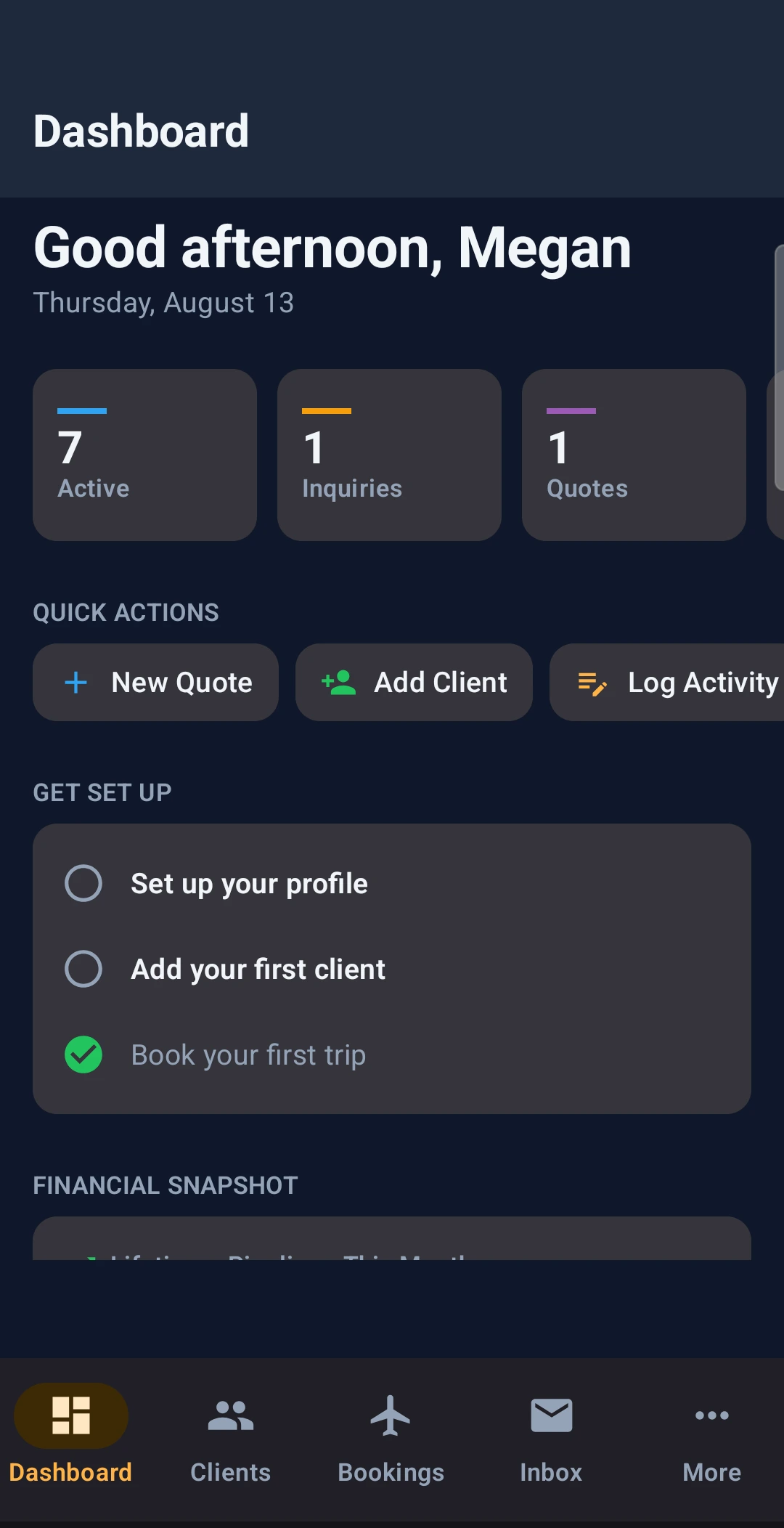
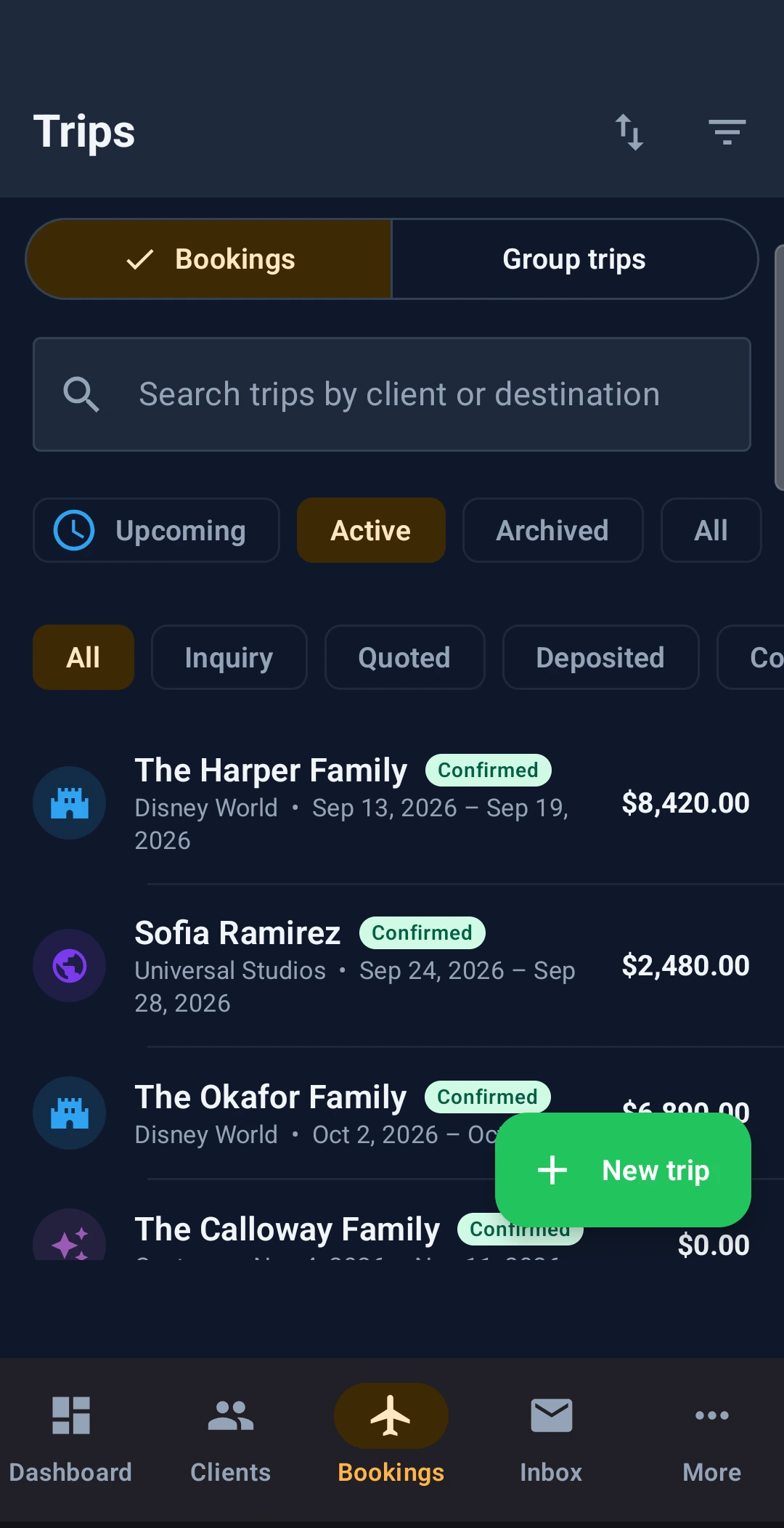
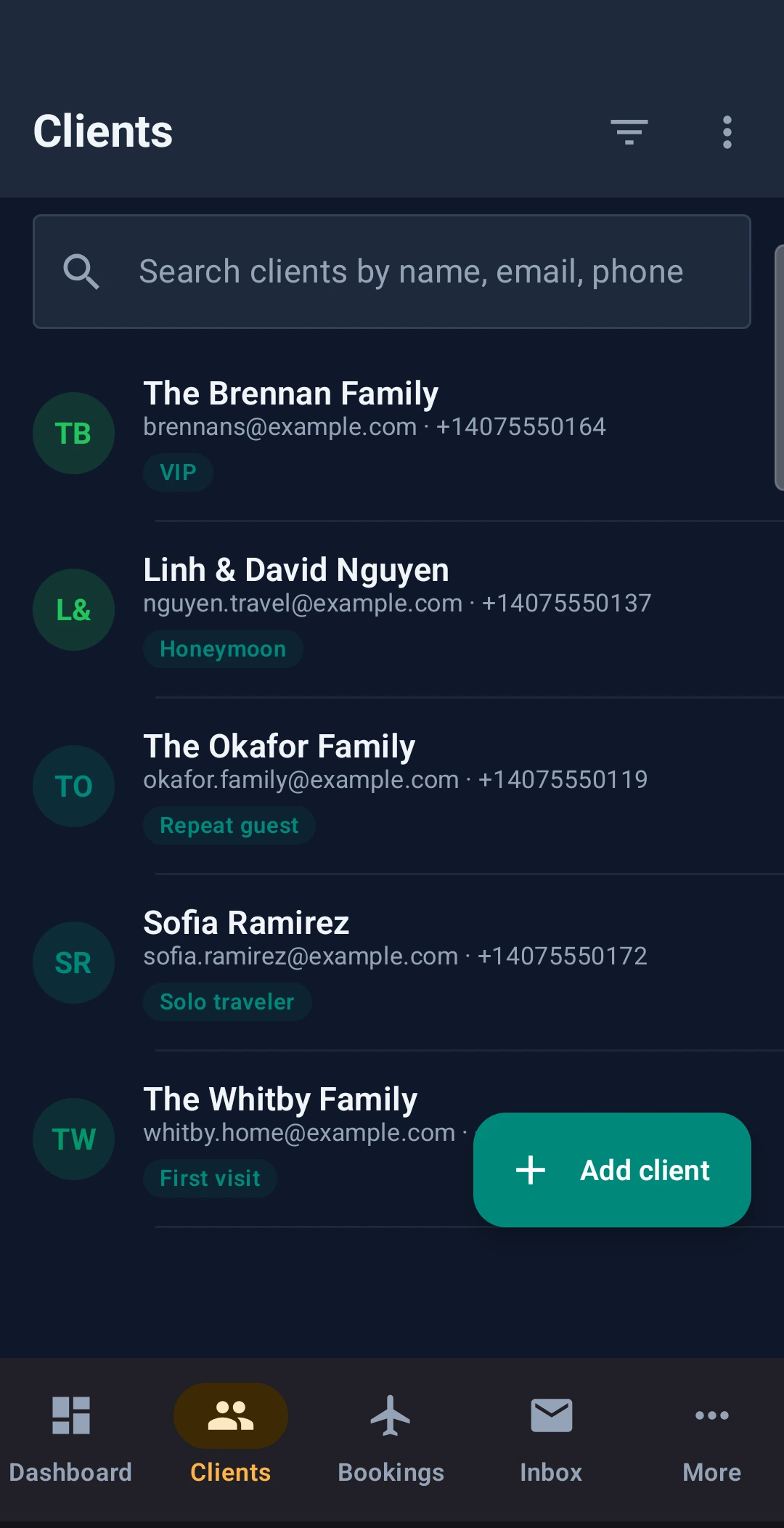
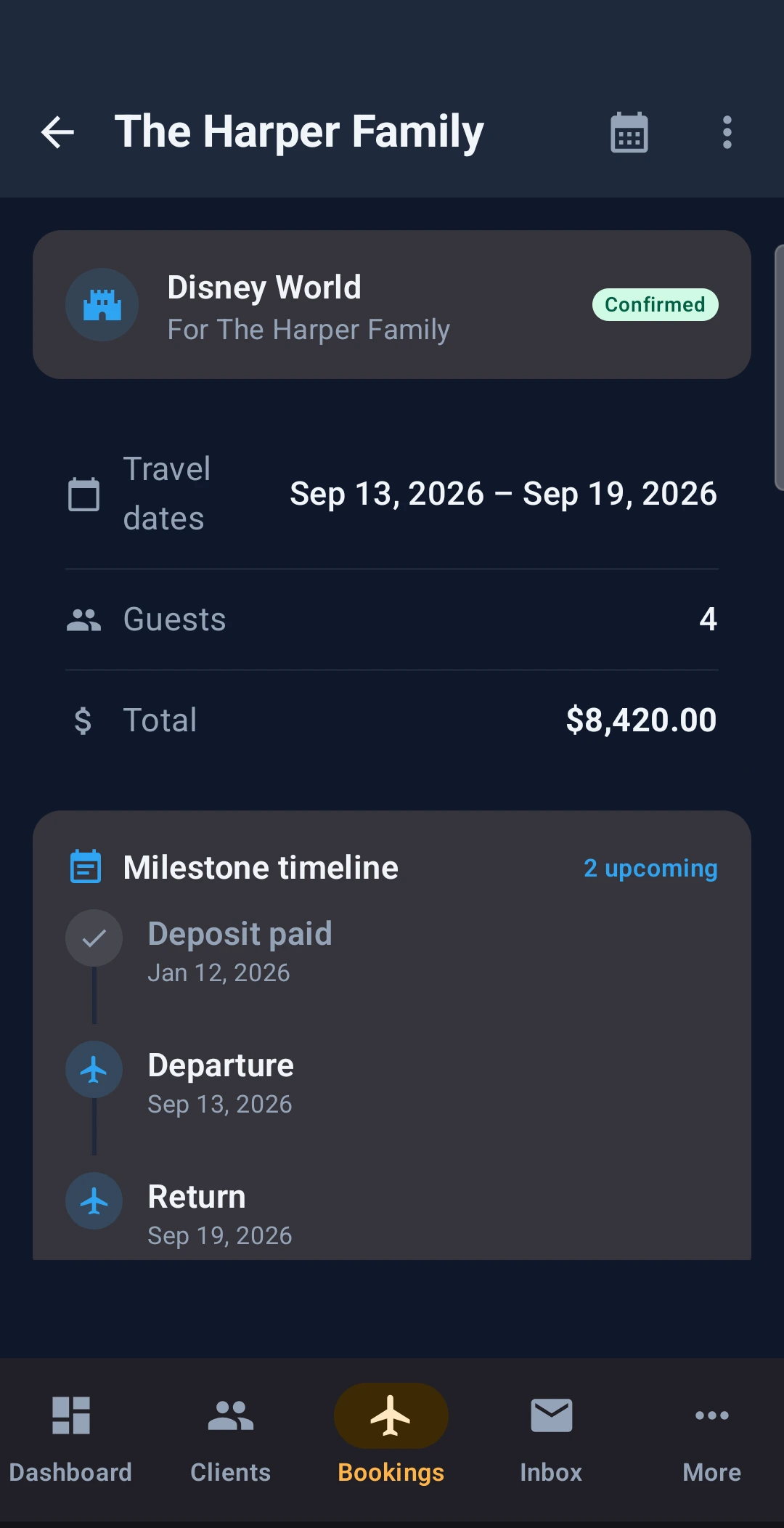
The Pixie Dust CRM agent app on iPhone: Dashboard, Bookings, Clients, and the full feature menu.
Try Pixie Dust CRM free for 30 days
Run your business from your phone. No credit card required. Set up your first client and booking in 10 minutes.
Start Your Free TrialRelated
Frequently Asked Questions
Do travel agents need a mobile CRM?
If you ever answer client questions outside of business hours, check on bookings while you’re away from your desk, or want to add a new lead the moment they reach out — yes. A mobile CRM lets you run your business in the margins of your day instead of waiting for 4-hour blocks at a desk.
What’s the best mobile app for travel agents?
It depends on what you need. Travefy has a view-only agent app. TravelJoy and Tern don’t have agent apps. Pixie Dust CRM stands out with a full-featured agent app on iOS and Android — everything you can do on the web, you can do on your phone — purpose-built for Disney, Universal, and cruise specialists.
Can I run my entire travel business from my phone?
With Pixie Dust CRM, yes. The mobile app handles clients, bookings, itineraries, commissions, messaging, tasks, documents, and reports. You might prefer a bigger screen for building detailed itineraries, but you don’t need one — it all works on mobile.
Is there a travel agent CRM with a real iOS app?
Pixie Dust CRM has a native iOS and Android app for agents that does everything the web app does. Travefy has an iOS app (Travefy Pro), but it’s view-only — you can’t build itineraries or edit bookings from it. TravelJoy’s iOS app is for clients only, not agents.
How is Pixie Dust CRM different from Travefy and Tern on mobile?
Tern has no agent mobile app at all. Travefy has Travefy Pro, but it’s a viewer — you can see trips and manage tasks, but you can’t build itineraries or edit bookings. Pixie Dust CRM ships the full CRM on mobile: create clients, build itineraries, track commissions, and manage your entire business from your phone.