Email Marketing
Send Targeted, Branded Email Campaigns
Send targeted, branded email campaigns to your clients — without leaving your CRM.
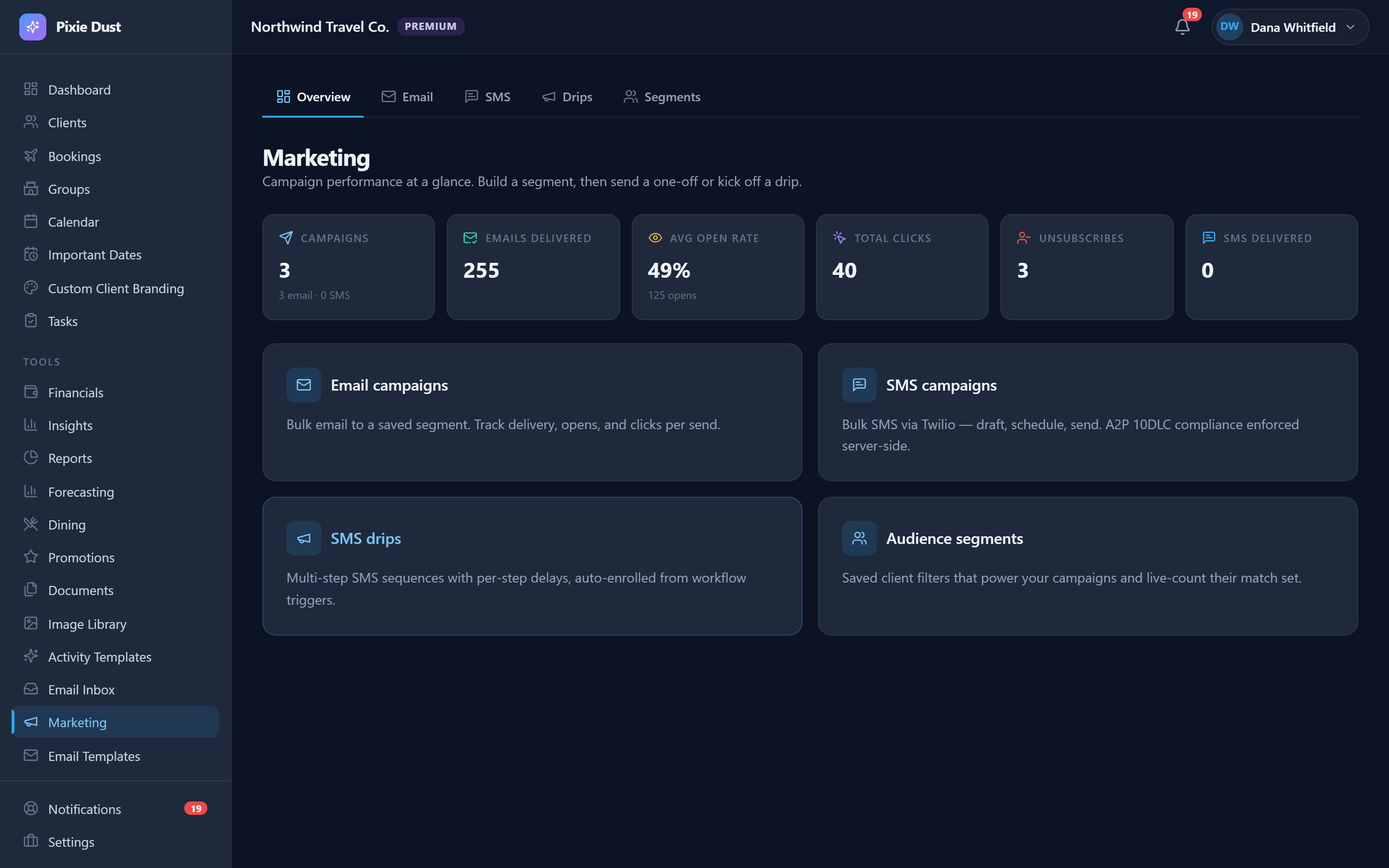
Campaign Builder
Create campaigns by choosing a template, selecting recipients by tags or booking status, and previewing exactly what each client will receive. Name your campaign, pick your audience, and send or schedule — all from one screen.
Seasonal campaigns are where email marketing shines for travel agents. Send a “Summer Sailaway” promotion to every client tagged as a cruise lover, or run a “Holiday at the Parks” campaign targeting families who traveled to Disney World last year. Because the campaign builder pulls directly from your CRM data, you can target the right people without exporting lists or switching tools.
You can also create re-engagement campaigns for clients who haven't booked in six months, or trip countdown emails that build excitement as a departure date approaches. Every campaign is saved in your history so you can review performance and reuse what works.
Email Templates
Build reusable email templates organized by category — Welcome, Reminder, Confirmation, Follow-up, and Custom. Templates support variables like {{clientName}}, {{tripDates}}, and {{resortName}} that auto-fill with each client's real data.
Available template variables include {{clientName}}, {{tripDates}}, {{resortName}}, {{destination}}, {{bookingStatus}}, and {{agentName}}. These placeholders are replaced with real values for each recipient, so a single template can send personalized emails to hundreds of clients at once.
For example, a “Bon Voyage” template might read: “Hi {{clientName}}, your trip to {{destination}} is almost here! Here's everything you need to know before{{tripDates}}.” Each client sees their own name, destination, and dates — no manual editing required.
Audience Segments
Create saved audience segments based on client tags, booking status, or destination type. Use segments to quickly target the right clients for each campaign — no manual list-building required.
Build segments like “Disney Families,” “Cruise Enthusiasts,” or “Clients with Upcoming Travel” and reuse them across multiple campaigns. When you add a new client who matches the segment criteria, they're automatically included in the next send — your lists stay current without manual upkeep.
Segments make it easy to run targeted promotions. A Universal Orlando discount only goes to clients interested in theme parks. A luxury cruise deal reaches your high-spend travelers. The right message finds the right audience every time.
Delivery & Stats
Track how your campaigns perform with delivery, open, click, and bounce rates. Each sent campaign shows a stats dashboard so you know exactly what's working.
See which subject lines drive the highest open rates and which calls-to-action get the most clicks. Over time, you'll learn what resonates with your audience — whether it's a Disney dining promo or a last-minute cruise deal — and refine your approach with real data instead of guesswork.
Unsubscribe Management
Unsubscribes are tracked automatically. Clients who opt out are filtered from future sends, keeping you compliant and your list clean.
Every email includes an unsubscribe link at the bottom. When a client opts out, their preference is recorded in the CRM and they're excluded from all future campaign sends. You stay CAN-SPAM compliant without maintaining a separate suppression list.
Direct Client Emails
Beyond campaigns, you can send one-off emails to any client directly from their profile. Pick a template, preview the resolved content, and send — with the email logged as a CRM activity.
This is perfect for sending a quick payment reminder, a personalized itinerary update, or a thank-you note after a trip. Because it's logged as a CRM activity, you'll always have a record of what you sent and when — no more searching your inbox to remember if you followed up.
How It Works
Create email templates with variable placeholders
Build a campaign — choose template, filter recipients, preview
Send immediately or schedule for later
Track delivery stats and manage unsubscribes
Frequently Asked Questions
Can I send emails from my own domain?
Emails are sent through Pixie Dust CRM’s delivery infrastructure with your name and agency branding. Custom domain sending (DKIM/SPF) is on our roadmap for agents who want emails to come from their own domain address.
How many emails can I send per month?
Your monthly email allowance depends on your plan tier. All plans include generous limits designed for travel agency volumes, and you can track your usage from the campaign dashboard at any time.
Does Pixie Dust CRM support email scheduling?
Yes. When you create a campaign, you can choose to send it immediately or schedule it for a specific date and time. This is great for timing a promotion around a sale launch or sending a trip countdown email at just the right moment.
Can I A/B test subject lines?
A/B testing is on our product roadmap. In the meantime, you can create two separate campaigns with different subject lines sent to different audience segments, then compare open rates in the stats dashboard to see which performs better.
Will emails include my agency branding?
Yes. Your agency name appears in the sender field, and email templates can include your logo, brand colors, and personalized sign-off. Every email your clients receive looks like it came directly from your agency.
Thirty days. No card.
From $10/month for solo agents, with per-seat plans for host agencies. Your clients get the trip app free.