Group Trips
Manage Group Vacations Without the Chaos
Coordinate multi-family trips, group cruises, and team travel with a dedicated group hub that keeps every booking, itinerary, and conversation connected.
One Hub Per Group
Create a group trip and give it a name, travel dates, and description. Every booking linked to the group is visible from one screen — no more flipping between individual client records to piece together who's going where.
- ✓Group name, dates, and description at a glance
- ✓See every linked booking and its status
- ✓Track total guests, total revenue, and deposits collected
- ✓Add notes visible to your whole team
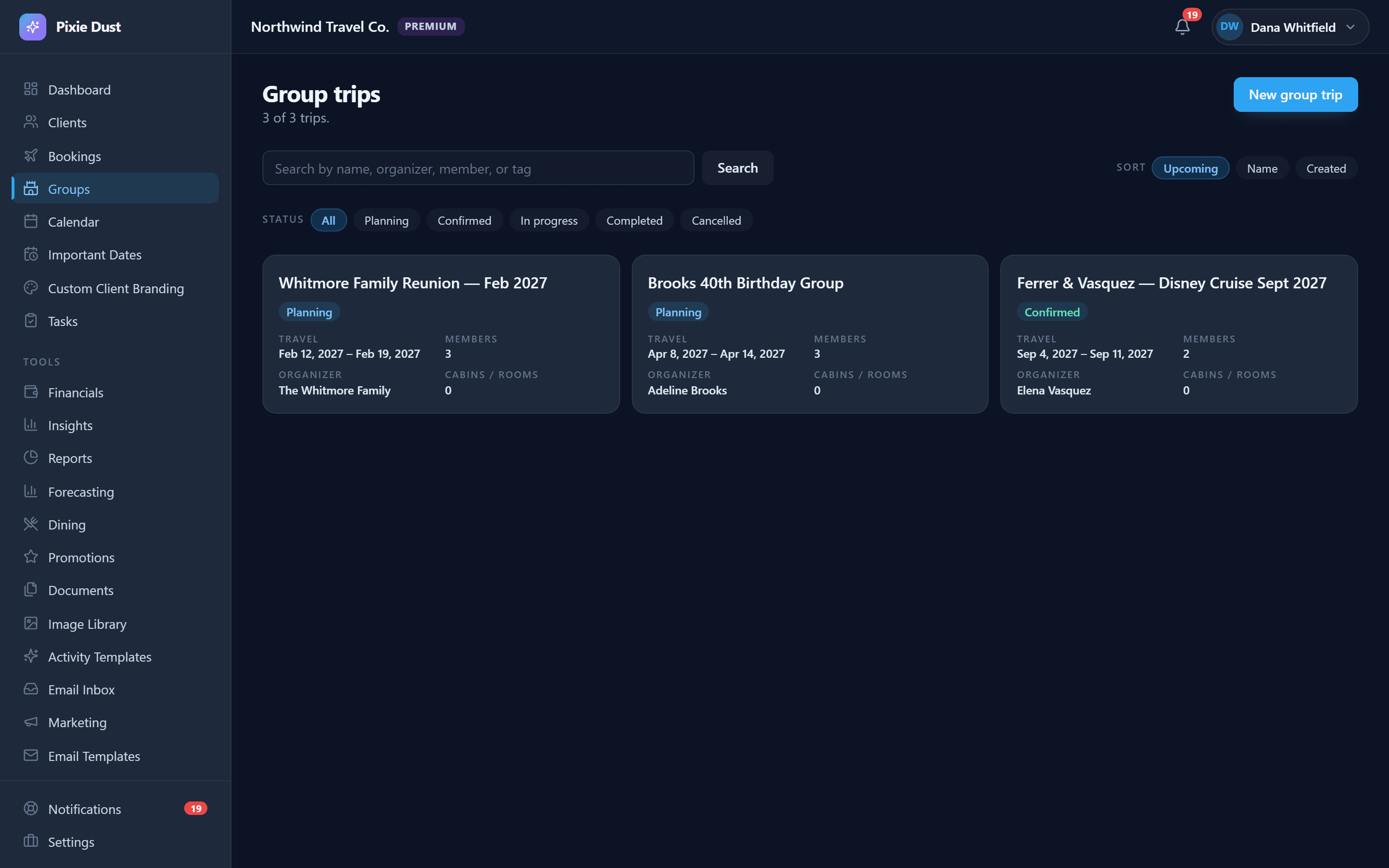
Link Existing Bookings
Already have individual bookings created? Link them to a group trip with one tap. Each booking keeps its own client details, payment tracking, and documents — but now it's also part of the group view. Unlink anytime without losing data.
This is especially useful when group trips form organically. Maybe one family books a Disney World package, then their friends decide to join a few weeks later. Instead of starting over, you simply create a group and link both bookings together. As more families sign on, link their bookings too — the group hub grows with the trip.
Linked bookings retain full independence. Each one has its own payment schedule, documents, and client notes. But from the group view, you see the complete picture — total headcount, combined revenue, and which bookings are confirmed versus still pending.
Shared Group Itinerary
Build one itinerary for the whole group. Everyone on the trip sees the same day-by-day plan — park days, dining reservations, group activities, and free time. Update it once and every linked client sees the changes instantly in their app.
For a multi-family Disney trip, the shared itinerary might include Magic Kingdom on day one, a group dinner at 'Ohana on day two, and a pool day at the resort on day three. If a dining reservation time changes, you update it once and every traveler in the group sees the correction immediately — no group text required.
Group cruise itineraries work just as well. Map out sea days, port excursions, and onboard activities in a single timeline that the entire sailing party can reference from their phone. It's the easiest way to keep everyone on the same page without printing packets or forwarding emails.
How It Works
Create a group trip with a name, dates, and description
Link individual bookings from your existing pipeline
Build a shared itinerary visible to all group members
Track stats, communicate updates, and manage the trip from one hub
Group Stats at a Glance
See the big picture for every group trip without doing math in a spreadsheet.
Total Guests
Combined headcount across all linked bookings
Total Revenue
Sum of all booking prices in the group
Deposits Collected
How much has been paid across the group
Booking Count
Number of individual bookings linked to the trip
Group Communication
Message everyone in the group or reach out to individual travelers. Group announcements go to all linked clients — schedule changes, packing reminders, or dining confirmation updates. No more copying and pasting the same message to 15 different text threads.
Built for Every Kind of Group
Multi-Family Vacations
Three families going to Disney World together? One group trip, three bookings, one shared itinerary.
Group Cruises
Coordinate cabin assignments, shore excursions, and dining times across the whole sailing party.
Celebration Trips
Milestone birthdays, reunions, and anniversaries — keep the surprise organized without the stress.
Frequently Asked Questions
How do I create a group trip?
From the Group Trips section in your CRM, tap the create button and enter a group name, travel dates, and an optional description. Once the group is created, you can start linking existing bookings to it immediately.
Can I link bookings that were created before the group?
Yes. Group trips are designed to work with your existing bookings. You can link any booking from your pipeline to a group trip at any time — whether it was created before or after the group. Unlinking a booking doesn’t delete it either.
Do all group members see the same itinerary?
Yes. When you build a shared itinerary for a group trip, every client linked to the group sees the same day-by-day plan in their app. Update it once and the changes appear for everyone instantly.
Is there a limit to how many bookings I can link to a group?
There’s no limit. Whether your group trip has 3 families or 30, you can link as many bookings as you need. The group hub aggregates stats like total guests, total revenue, and deposits collected across all linked bookings.
Can I message the entire group at once?
Yes. From the group trip hub you can send announcements to all linked clients at once — schedule changes, packing reminders, dining updates, or any other group-wide communication. You can also message individual travelers separately.
Thirty days. No card.
From $10/month for solo agents, with per-seat plans for host agencies. Your clients get the trip app free.